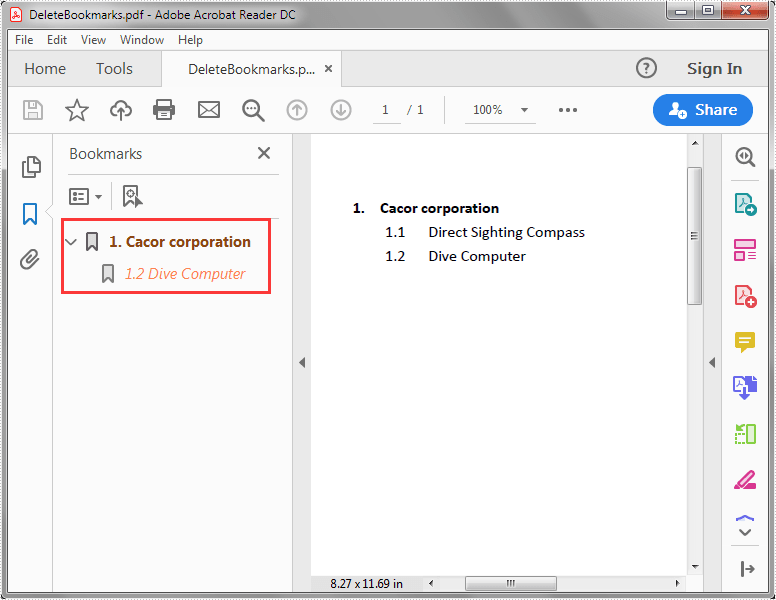
Spire.PDF for Java supports deleting a specific child bookmark, a parent bookmark along with its child bookmark(s) or delete all the bookmarks from a PDF file. In this article, you will learn how to delete PDF bookmarks using Spire.PDF for Java.
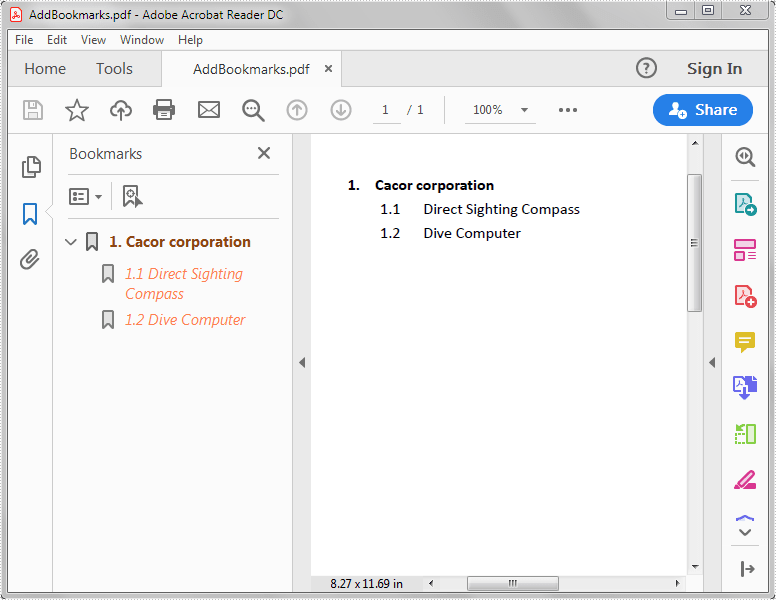
The input PDF file:
import com.spire.pdf.PdfDocument;

public class DeleteBookmarks {
    public static void main(String[] args) {
        //Create a PdfDocument instance
        PdfDocument pdf = new PdfDocument();
        //Load the PDF file
        pdf.loadFromFile("AddBookmarks.pdf");

        //Delete the first child bookmark
        pdf.getBookmarks().get(0).removeAt(0);

        //Delete the first bookmark along with its child bookmark
        //pdf.getBookmarks().removeAt(0);

        //Delete all the bookmarks
        //pdf.getBookmarks().clear();

        //Save the result file
        pdf.saveToFile("DeleteBookmarks.pdf");
    }
}
The output PDF file after deleting the first child bookmark: