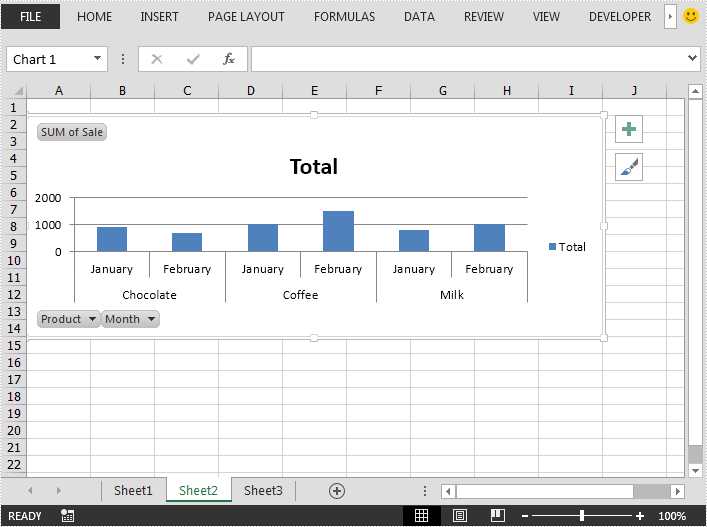
This article demonstrates how to create pivot chart in an Excel file in Java using Spire.XLS for Java.
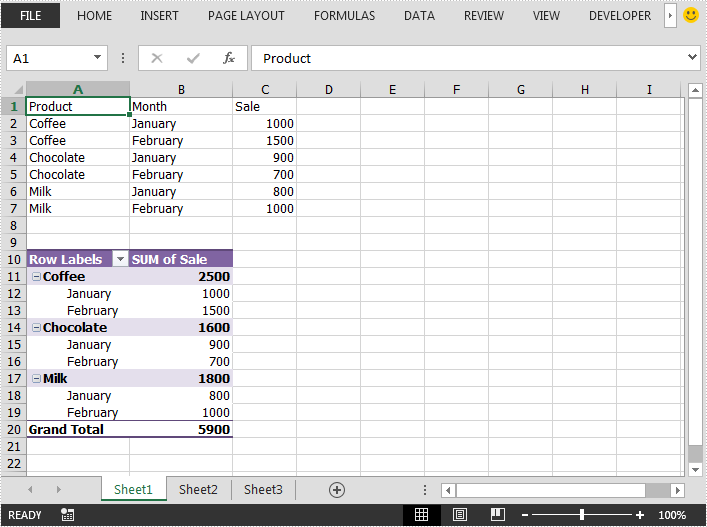
The input Excel file:
import com.spire.xls.*;
import com.spire.xls.core.IPivotTable;

public class CreatePivotChart {
    public static void main(String[] args) {
        //Load the Excel file
        Workbook workbook = new Workbook();
        workbook.loadFromFile("Sample.xlsx");

        //Get the first worksheet
        Worksheet sheet = workbook.getWorksheets().get(0);
        //get the first pivot table in the worksheet
        IPivotTable pivotTable = sheet.getPivotTables().get(0);

        //Add a clustered column chart based on the pivot table data to the second worksheet
        Chart chart = workbook.getWorksheets().get(1).getCharts().add(ExcelChartType.ColumnClustered, pivotTable);
        //Set chart position
        chart.setTopRow(2);
        chart.setBottomRow(15);
        //Set chart title
        chart.setChartTitle("Total");

        //Save the result file
        workbook.saveToFile("CreatPivotChart.xlsx", ExcelVersion.Version2013);
    }
}
Output: