Spire.XLS supports to hide or unhide certain shapes in Excel worksheet through IShape.Visible property. This article demonstrates the detail steps to hide or unhide a shape using Spire.XLS and C#.
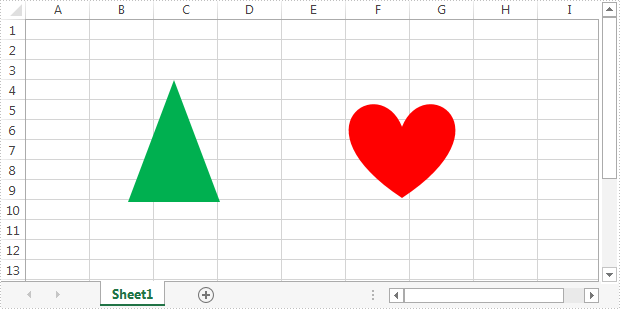
Below is the screenshot of the example Excel file:
Detail steps:
Step 1: Instantiate a Workbook object and load the Excel file.
Workbook workbook = new Workbook();
workbook.LoadFromFile("Input.xlsx");
Step 2: Get the first worksheet.
Worksheet sheet = workbook.Worksheets[0];
Step 3: Hide the second shape in the worksheet.
//Hide the second shape in the worksheet
sheet.PrstGeomShapes[1].Visible = false;

//Show the second shape in the worksheet
//sheet.PrstGeomShapes[1].Visible = true;
Step 4: Save the file.
workbook.SaveToFile("HideShape.xlsx", ExcelVersion.Version2013);
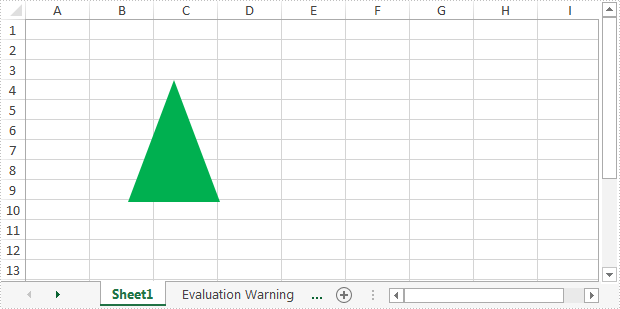
Output:
Full code:
using Spire.Xls;
namespace HideShape
{
    class Program
    {
        static void Main(string[] args)
        {
            //Instantiate a Workbook object
            Workbook workbook = new Workbook();
            //Load the Excel file
            workbook.LoadFromFile("Input.xlsx");

            //Get the first worksheet
            Worksheet sheet = workbook.Worksheets[0];

            //Hide the second shape in the worksheet
            sheet.PrstGeomShapes[1].Visible = false;

            //Show the second shape in the worksheet
            sheet.PrstGeomShapes[1].Visible = true;

            //Save the file
            workbook.SaveToFile("HideShape.xlsx", ExcelVersion.Version2013);
        }
    }
}