In many web applications, PDF files are more than just downloadable documents—they are often the final output of business processes. Common examples include invoices, financial reports, contracts, certificates, and data exports that must preserve layout and formatting across devices.
For developers working with ASP.NET, the ability to create PDF files directly on the server side is a frequent requirement. Whether you are building a traditional ASP.NET MVC application or a modern ASP.NET Core service, generating PDFs programmatically allows you to deliver consistent, print-ready documents to end users.
However, implementing PDF generation in ASP.NET is not always straightforward. Developers often encounter challenges such as:
- Managing document layout and pagination
- Handling fonts and international text
- Returning PDF files efficiently to the browser
- Supporting both ASP.NET Framework and ASP.NET Core
This article focuses on practical solutions for creating PDF documents in ASP.NET and ASP.NET Core scenarios using Spire.PDF for .NET. You will learn how to generate PDFs using C# in:
- ASP.NET Framework applications
- ASP.NET Core applications
- MVC and Web API–based projects
By the end of this guide, you will have a clear understanding of how ASP.NET PDF generation works and how to apply it in real-world projects.
Quick Navigation
- Overview: Common Approaches to Create PDF in ASP.NET
- Environment Setup for ASP.NET PDF Generation
- How to Create PDF in ASP.NET (Framework) Using C#
- Generate PDF in ASP.NET Core Applications
- Advanced Scenarios for ASP.NET PDF Generation
- Choosing an ASP.NET PDF Library
- Why Use Spire.PDF for ASP.NET PDF Creation
- FAQ: Frequently Asked Questions
1. Overview: Creating PDF Directly in ASP.NET Using C#
In ASP.NET and ASP.NET Core applications, PDF files are often generated as the final output of server-side processes, such as reports, invoices, and data exports.
One of the most reliable ways to achieve this is creating PDF documents directly through C# code. In this approach, the application controls:
- Page creation and pagination
- Text formatting and layout
- File output and response handling
This tutorial focuses on this code-driven PDF generation approach, which works consistently across ASP.NET Framework and ASP.NET Core and is well suited for server-side scenarios where predictable output and layout control are required.
2. Environment Setup for ASP.NET PDF Generation
Before you start generating PDFs in ASP.NET or ASP.NET Core applications, it is important to ensure that your development environment is properly configured. This will help you avoid common issues and get your projects running smoothly.
2.1. .NET SDK Requirements
- ASP.NET Framework: Ensure your project targets .NET Framework 4.6.1 or higher.
- ASP.NET Core: Install .NET 6 or .NET 7 SDK, depending on your project target.
- Verify your installed SDK version using:
dotnet --version
2.2. Installing the Spire.PDF for .NET Library
To generate PDFs, you need a PDF library compatible with your project. One widely used option is Spire.PDF for .NET, which supports both ASP.NET Framework and ASP.NET Core.
- Install via NuGet Package Manager in Visual Studio:
Install-Package Spire.PDF
You can also download Spire.PDF for .NET and install it manually.
- Verify the installation by checking that the Spire.Pdf.dll is referenced in your project.
2.3. Project Template Considerations
- ASP.NET Framework: Use an MVC or Web Forms project and ensure required assemblies (e.g., System.Web) are referenced.
- ASP.NET Core: Use an MVC or API project and configure any required services for the PDF library.
Ensure the environment allows writing files if needed and supports necessary fonts for your documents.
3. How to Create PDF in ASP.NET (Framework) Using C#
This section demonstrates how to create PDF files in ASP.NET Framework applications using C#. These examples apply to classic ASP.NET Web Forms and ASP.NET MVC projects.
3.1 Create a Simple PDF File in ASP.NET
The basic workflow for creating PDF in ASP.NET is:
- Create a PdfDocument instance.
- Add pages and content.
- Save the document using PdfDocument.SaveToFile() method, or return it to the client.
Below is a simple C# example that creates a PDF file and saves it on the server.
using Spire.Pdf;
using Spire.Pdf.Graphics;
using System.Drawing;

PdfDocument document = new PdfDocument();
PdfPageBase page = document.Pages.Add();

PdfFont font = new PdfFont(PdfFontFamily.Helvetica, 12f);
page.Canvas.DrawString(
    "Hello, this PDF was generated in ASP.NET using C#.",
    font,
    PdfBrushes.Black,
    new PointF(40, 40)
);

document.SaveToFile(Server.MapPath("~/Output/Sample.pdf"));
document.Close();
This example demonstrates the core idea of PDF generation in ASP.NET using C#: everything is created programmatically, giving you full control over content and layout.
In real applications, this approach is commonly used to generate:
- Confirmation documents
- Server-side reports
- System-generated notices
If you also want to include images in your PDFs, you can check out our guide on inserting images into PDF files using C# for a step-by-step example.
3.2 Generate PDF in ASP.NET MVC
In ASP.NET MVC projects, PDFs are usually generated inside controller actions and returned directly to the browser. This allows users to download or preview the document without saving it permanently on the server.
A typical PDF generation in MVC implementation looks like this:
using Spire.Pdf;
using Spire.Pdf.Graphics;
using System.Drawing;
using System.IO;
using System.Web.Mvc;

namespace WebApplication.Controllers
{
    public class DefaultController : Controller
    {
        public ActionResult GeneratePdf()
        {
            // Create a PDF document
            using (PdfDocument document = new PdfDocument())
            {
                PdfPageBase page = document.Pages.Add();

                PdfFont font = new PdfFont(PdfFontFamily.Helvetica, 12f);
                page.Canvas.DrawString(
                    "PDF generated in ASP.NET MVC.",
                    font,
                    PdfBrushes.Black,
                    new PointF(40, 40)
                );

                // Save the document to stream and return to browser
                using (MemoryStream stream = new MemoryStream())
                {
                    document.SaveToStream(stream);

                    return File(
                        stream.ToArray(),
                        "application/pdf",
                        "MvcSample.pdf"
                    );
                }
            }
        }
    }
}
Below is the preview of the generated PDF document:

Practical Notes for MVC Projects
- Returning a
FileResultis the most common pattern - Memory streams help avoid unnecessary disk I/O
- This approach works well for on-demand PDF generation triggered by user actions
With this method, you can seamlessly integrate ASP.NET PDF generation into existing MVC workflows such as exporting reports or generating invoices.
Tip: If you need to present PDFs to users in a ASP.NET application, you can use Spire.PDFViewer for ASP.NET, a component that allows you to display PDF documents in a web environment.
4. Generate PDF in ASP.NET Core Applications
With the rise of cross-platform development and cloud-native architectures, ASP.NET Core has become the default choice for many new projects. Although the core idea of PDF generation remains similar, there are several implementation details that differ from the traditional ASP.NET Framework.
This section explains how to generate PDF in ASP.NET Core using C#, covering both MVC-style web applications and Web API–based services.
4.1 Generate PDF in ASP.NET Core Web Application
In an ASP.NET Core web application, PDF files are commonly generated inside controller actions and returned as downloadable files. Unlike ASP.NET Framework, ASP.NET Core does not rely on System.Web, so file handling is typically done using streams.
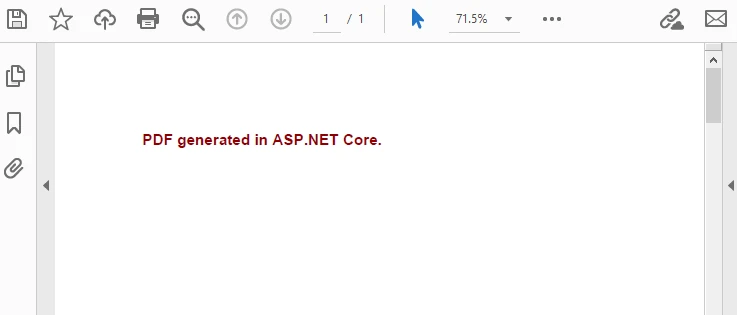
Below is a simple example demonstrating ASP.NET Core PDF generation in a controller.
Create a new ASP.NET Core Web App (Model-View-Controller) project in your IDE and add a new controller named PdfController with an action named CreatePdf() in the Controllers folder.
using Microsoft.AspNetCore.Mvc;
using Spire.Pdf;
using Spire.Pdf.Graphics;
using System.Drawing;

namespace CoreWebApplication.Controllers
{
    public class PdfController : Controller
    {
        public IActionResult CreatePdf()
        {
            using (PdfDocument document = new PdfDocument())
            {
                PdfPageBase page = document.Pages.Add();

                PdfFont font = new PdfFont(PdfFontFamily.Helvetica, 14f, PdfFontStyle.Bold);
                page.Canvas.DrawString(
                    "PDF generated in ASP.NET Core.",
                    font,
                    PdfBrushes.DarkRed,
                    new PointF(40, 40)
                );

                using (MemoryStream stream = new MemoryStream())
                {
                    document.SaveToStream(stream);
                    return File(
                        stream.ToArray(),
                        "application/pdf",
                        "AspNetCoreSample.pdf"
                    );
                }
            }
        }
    }
}
Below is the preview of the generated PDF document:
Key Differences from ASP.NET Framework
- No dependency on Server.MapPath
- Stream-based file handling is the recommended pattern
- Works consistently across Windows, Linux, and Docker environments
This approach is suitable for dashboards, admin panels, and internal systems where users trigger ASP.NET Core PDF generation directly from the UI.
If you want to create structured tables in your PDFs, you can check out our guide on generating tables in PDF using ASP.NET Core and C# for a step-by-step example.
4.2 Generate PDF in ASP.NET Core Web API
For front-end and back-end separated architectures, PDF generation is often implemented in ASP.NET Core Web API projects. In this scenario, the API endpoint returns a PDF file as a binary response, which can be consumed by web clients, mobile apps, or other services.
A typical ASP.NET PDF generation in Web API example looks like this:
Add this code inside a controller named PdfApiController in the Controllers folder.
using Microsoft.AspNetCore.Mvc;
using Spire.Pdf;
using Spire.Pdf.Graphics;
using System.Drawing;

[ApiController]
[Route("api/pdf")]
public class PdfApiController : ControllerBase
{
    [HttpGet("generate")]
    public IActionResult GeneratePdf()
    {
        PdfDocument document = new PdfDocument();
        PdfPageBase page = document.Pages.Add();

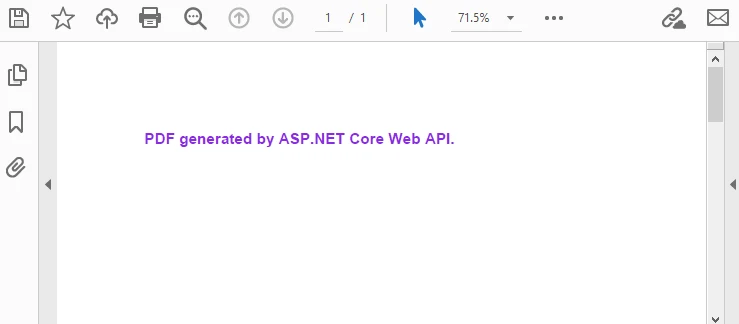
        PdfFont font = new PdfFont(PdfFontFamily.Helvetica, 14f, PdfFontStyle.Bold);
        page.Canvas.DrawString(
            "PDF generated by ASP.NET Core Web API.",
            font,
            PdfBrushes.BlueViolet,
            new PointF(40, 40)
        );

        using (MemoryStream stream = new MemoryStream())
        {
            document.SaveToStream(stream);
            document.Close();

            return File(
                stream.ToArray(),
                "application/pdf",
                "ApiGenerated.pdf"
            );
        }
    }
}
Below is the preview of the generated PDF document:
Practical Considerations for Web API
- Always set the correct
Content-Type(application/pdf) - Use streams to avoid unnecessary disk access
- Suitable for microservices and distributed systems
This pattern is widely used when ASP.NET PDF generation is part of an automated workflow rather than a user-driven action.
5. Advanced Scenarios for ASP.NET PDF Generation
Basic examples are useful for learning, but real-world applications often require more advanced PDF features. This section focuses on scenarios that commonly appear in production systems and demonstrate the practical value of server-side PDF generation.
5.1 Export Dynamic Data to PDF
One of the most frequent use cases is exporting dynamic data—such as database query results—into a structured PDF document.
Typical scenarios include:
- Sales reports
- Order summaries
- Financial statements
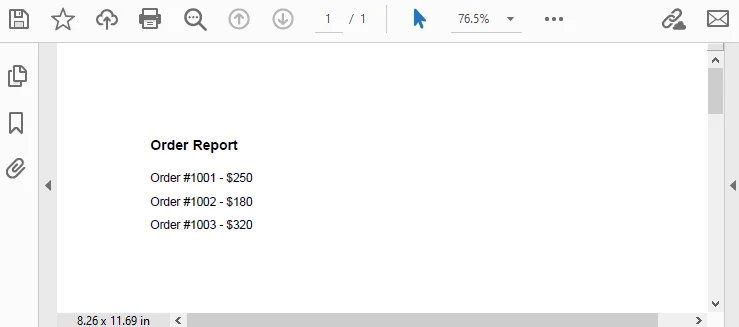
The example below demonstrates generating a simple table-like layout using dynamic data.
PdfDocument document = new PdfDocument();
PdfPageBase page = document.Pages.Add();

PdfFont headerFont = new PdfFont(PdfFontFamily.Helvetica, 12f, PdfFontStyle.Bold);
PdfFont bodyFont = new PdfFont(PdfFontFamily.Helvetica, 10f);

float y = 40;

// Header
page.Canvas.DrawString("Order Report", headerFont, PdfBrushes.Black, 40, y);
y += 30;

// Sample dynamic data
string[] orders = { "Order #1001 - $250", "Order #1002 - $180", "Order #1003 - $320" };

foreach (string order in orders)
{
    page.Canvas.DrawString(order, bodyFont, PdfBrushes.Black, 40, y);
    y += 20;
}

document.SaveToFile("OrderReport.pdf");
document.Close();
Output Preview:
This approach allows you to:
- Populate PDFs from databases or APIs
- Generate documents dynamically per request
- Maintain consistent formatting regardless of data size
5.2 Styling and Layout Control in Generated PDFs
Another important aspect of ASP.NET PDF generation is layout control. In many business documents, appearance matters as much as content.
Common layout requirements include:
- Page margins and alignment
- Headers and footers
- Multi-page content handling
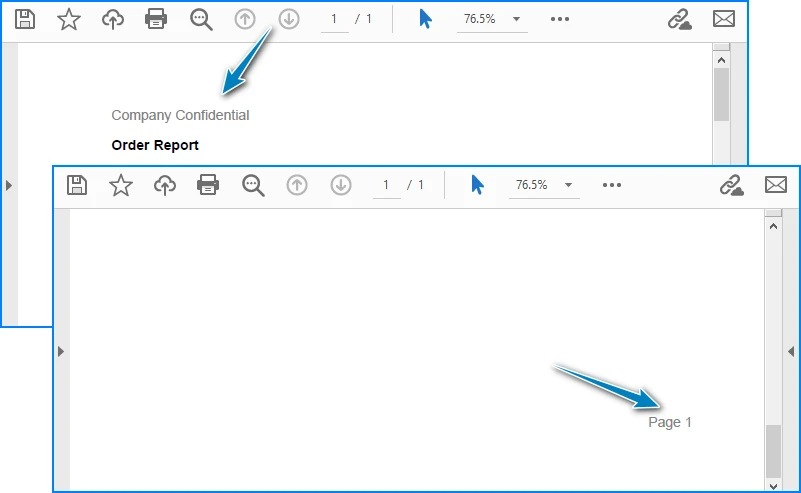
For example, adding a simple header and footer:
PdfPageBase page = document.Pages.Add();

PdfFont font = new PdfFont(PdfFontFamily.Helvetica, 12f);

page.Canvas.DrawString(
    "Company Confidential",
    font,
    PdfBrushes.Gray,
    new PointF(40, 15)
);

page.Canvas.DrawString(
    "Page 1",
    font,
    PdfBrushes.Gray,
    new PointF(page.Canvas.ClientSize.Width - 60, page.Canvas.ClientSize.Height - 30)
);
Output Preview:
When working with multi-page documents, it is important to:
- Track vertical position (
ycoordinate) - Add new pages when content exceeds page height
- Keep layout logic consistent across pages
These considerations help ensure that generated PDFs are suitable for both on-screen viewing and printing.
5.3 Related PDF Generation Scenarios
In addition to creating PDF files directly via C# code, some ASP.NET applications use other PDF workflows depending on their requirements. Check out the following articles for more examples:
- How to Convert HTML to PDF Using C#
- How to Convert Word DOC/DOCX to PDF Using C#
- How to Convert Excel Workbooks to PDF Using C#
6. Choosing an ASP.NET PDF Library
When implementing PDF generation in ASP.NET or ASP.NET Core, selecting the right PDF library is a critical decision. The choice directly affects development efficiency, long-term maintainability, and runtime performance.
Instead of focusing only on feature lists, it is more practical to evaluate an ASP.NET PDF library based on how it fits real application requirements.
Key Factors to Consider
- API Usability
A good PDF library should provide:
- Clear object models (documents, pages, fonts, graphics)
- Intuitive APIs for drawing text and layout
- Minimal boilerplate code for common tasks
This is especially important for projects where PDF generation logic evolves over time.
- ASP.NET and ASP.NET Core Compatibility
Many teams maintain both legacy ASP.NET applications and newer ASP.NET Core services. Choosing a library that works consistently across:
- ASP.NET Framework
- ASP.NET Core
- MVC and Web API projects
can significantly reduce migration and maintenance costs.
3. Performance and Stability
In production environments, PDF generation often runs:
- On-demand under user requests
- As background jobs
- Inside high-concurrency services
An ASP.NET PDF generator should be stable under load and capable of handling multi-page documents without excessive memory usage.
In practice, libraries generally fall into categories such as HTML-based converters or code-driven PDF APIs. For applications that require predictable output and fine-grained control, direct PDF creation via C# code is often the preferred approach.
7. Why Use Spire.PDF for ASP.NET PDF Creation
For developers who need to create PDF files in ASP.NET using C#, Spire.PDF for .NET provides a balanced solution that fits both tutorial examples and real-world projects.
Practical Advantages in ASP.NET Scenarios
-
Native support for ASP.NET and ASP.NET Core The same API can be used across classic ASP.NET, MVC, ASP.NET Core Web Apps, and Web API projects.
-
Code-driven PDF creation PDFs can be generated directly through C# without relying on external rendering engines or browser components.
-
Rich PDF features Supports text, images, tables, pagination, headers and footers, making it suitable for reports, invoices, and business documents.
-
Deployment-friendly Works well in server environments, including containerized and cloud-hosted ASP.NET Core applications.
Because of these characteristics, Spire.PDF fits naturally into PDF generation in ASP.NET workflows where stability, layout control, and cross-version compatibility matter more than quick HTML rendering.
For a complete reference of all available methods and classes, you can consult the official API documentation: Spire.PDF for .NET API Reference.
8. Frequently Asked Questions (FAQ)
Can I generate PDF in ASP.NET Core without MVC?
Yes. PDF generation in ASP.NET Core does not strictly require MVC. In addition to MVC controllers, PDFs can also be generated and returned from:
- ASP.NET Core Web API controllers
- Minimal APIs
- Background services
As long as the application returns a valid PDF byte stream with the correct Content-Type, the approach works reliably.
What is the difference between generating PDF in ASP.NET and ASP.NET Core?
The core PDF creation logic is similar, but there are some differences:
- ASP.NET Framework relies on
System.Webfeatures such asServer.MapPath - ASP.NET Core uses stream-based file handling
- ASP.NET Core is cross-platform and better suited for modern deployment models
From a PDF API perspective, most logic can be shared between the two.
Is it possible to generate PDF directly from C# code in ASP.NET?
Yes. Many production systems generate PDFs entirely through C# code. This approach:
- Avoids HTML rendering inconsistencies
- Provides precise layout control
- Works well for structured documents such as reports and invoices
It is a common pattern in ASP.NET PDF solutions where consistency and reliability are required.
Conclusion
Generating PDF files is a common requirement in ASP.NET and ASP.NET Core applications, especially for scenarios such as reports, invoices, and data exports. By creating PDFs directly through C# code, you gain full control over document structure, layout, and output behavior.
This guide demonstrated how to generate PDFs in both ASP.NET Framework and ASP.NET Core, covering MVC and Web API scenarios, dynamic data output, and basic layout control. It also discussed how to evaluate PDF libraries based on real application requirements.
If you plan to test these examples in a real project environment without functional limitations, you can apply for a temporary license to unlock all full features during evaluation.
