
The Open Fixed-layout Document (OFD) format is a national standard in China, widely used for electronic invoicing and official documentation. For developers working in C++, converting PDF to OFD efficiently is a common requirement. This tutorial demonstrates how to use the Spire.PDF for C++ library to handle three common scenarios: direct file conversion, extracting specific page ranges, and batch processing entire directories. By following these examples, you can integrate robust conversion logic into your applications with minimal overhead.
Converting a Single PDF to OFD
When converting PDF files to OFD, the most common task is a direct PDF-to-OFD conversion. This process involves only three main steps: initializing the document engine, loading the source PDF file from a disk, and exporting the PDF to OFD.
Key Steps:
- Create a PdfDocument instance.
- Load a PDF file using PdfDocument->LoadFromFile() method.
- Save the PDF as an OFD document using PdfDocument->SaveToFile(filename, FileFormat::OFD) method.
Here's the sample code showing how to directly convert a PDF file to an OFD document:
#include "Spire.Pdf.o.h"

using namespace Spire::Pdf;

int main()
{
    //  Create a PdfDocument instance
    PdfDocument* pdf = new PdfDocument();

    // Load a PDF
    pdf->LoadFromFile(L"/input/Booklet.pdf");

    // Save  the PDF as an OFD document
    pdf->SaveToFile(L"/output/ToOFD.ofd", FileFormat::OFD);

    pdf->Close();
    delete pdf;

    return 0;
}
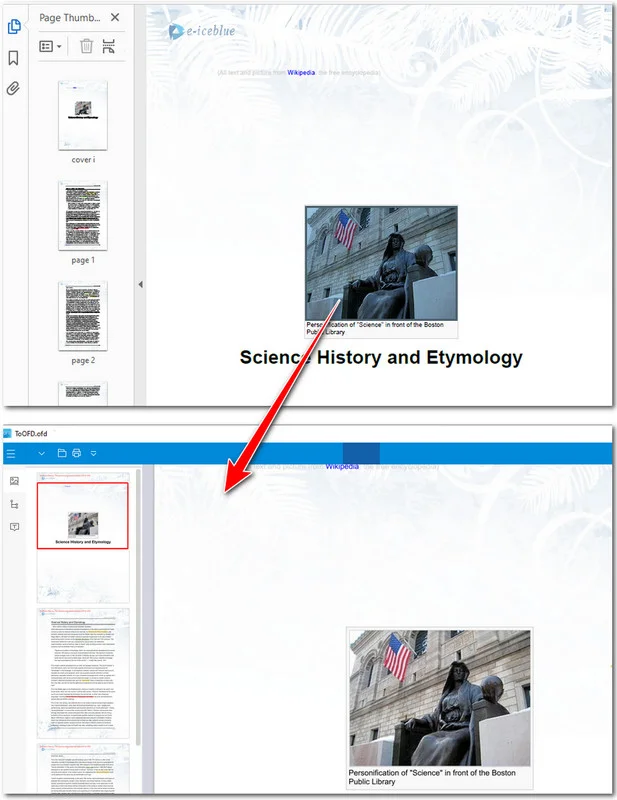
The preview of the original PDF and the converted OFD document:
Beyond OFD, you can also streamline your office workflows by converting PDF to Excel for data analysis or converting PDF to Word for document editing.
Converting a Specific Page Range to OFD
In many cases, you may only need to convert a portion of a PDF document, such as extracting specific chapters from a report or invoice pages for archiving. To fulfill this requirement, you can precisely define a page range for conversion—or alternatively, split the PDF into multiple files first and then perform the conversion. In this chapter, we will focus on the former option, which is ideal for optimizing file sizes and ensuring the output OFD contains only the data relevant to your business workflow.
Key Steps:
- Initialize two PdfDocument instances.
- Load the source PDF and determine the total page count.
- Iterate through the desired range (e.g., indices 1 to 2 for the 2nd and 3rd pages).
- Add a blank page to the new document and draw the source page content onto it using CreateTemplate()->Draw().
- Save the newly constructed document to the OFD format with PdfDocument->SaveToFile(filename, FileFormat::OFD) method.
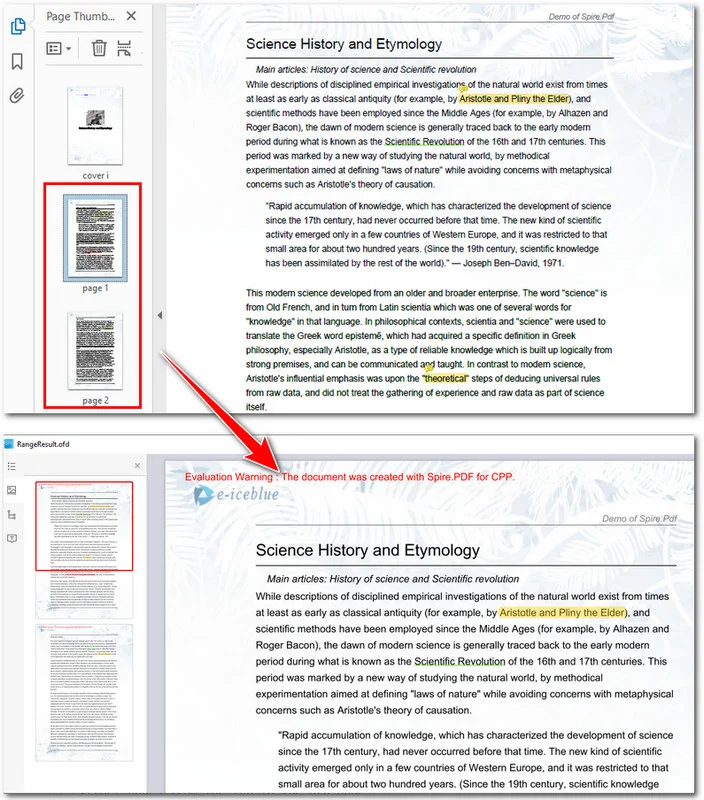
The following example shows how to convert the 2nd and the 3rd pages of a PDF to an OFD file:
#include "Spire.Pdf.o.h"
#include <iostream>

using namespace Spire::Pdf;

int main()
{
    // 1. Use intrusive_ptr to create a PdfDocument instance and load a PDF file
    intrusive_ptr<PdfDocument> oldPdf = new PdfDocument();
    oldPdf->LoadFromFile(L"/input/Booklet.pdf");

    // Create a new PdfDocument object
    intrusive_ptr<PdfDocument> newPdf = new PdfDocument();

    // Get the page count of the source file
    int pageCount = oldPdf->GetPages()->GetCount();
    std::cout << "Total pages: " << pageCount << std::endl;

    // Extract pages from the 2nd to the 3rd page
    if (pageCount >= 3)
    {
        for (int i = 1; i <= 2; i++)
        {
            // Create a new page with the same size in the destination document
            intrusive_ptr<PdfMargins> margins = new PdfMargins(0);
            intrusive_ptr<PdfPageBase> newPage = newPdf->GetPages()->Add(oldPdf->GetPages()->GetItem(i)->GetSize(), margins);

            // Create a template from the source page and draw it onto the new page
            oldPdf->GetPages()->GetItem(i)->CreateTemplate()->Draw(newPage, new PointF(0, 0));
        }

        // Save the result as an OFD document
        newPdf->SaveToFile(L"/output/RangeResult.ofd", FileFormat::OFD);
        std::cout << "OFD saved successfully via Drawing Template logic." << std::endl;
    }

    // Close the documents
    newPdf->Close();
    oldPdf->Close();

    return 0;
}
Here's the preview of the PDF file and the OFD document:
Batch Converting Multiple PDF Files
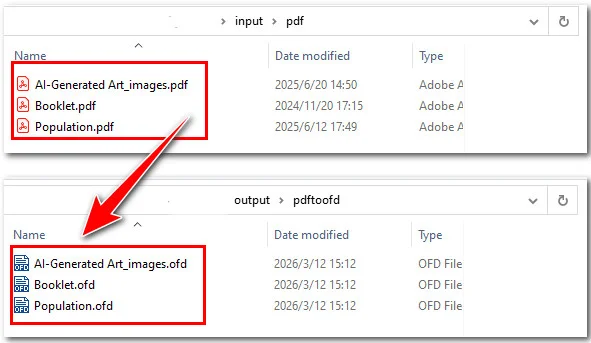
For large-scale industrial applications or document management systems, processing PDF files individually is often inefficient. Automating the conversion of entire directories is a vital requirement for high-volume workflows, such as migrating legacy archives or synchronizing cloud storage folders. By leveraging the Spire.PDF library, you can implement a robust solution that automatically detects and converts every PDF within a target directory, ensuring consistent output while saving significant manual labor.
Key Steps:
- Define the input and output directory paths.
- Initialize a single PdfDocument instance.
- Loop through the input folder to access each PDF file.
- Convert the current PDF document to OFD using PdfDocument->SaveToFile(filename, FileFormat::OFD) method.
#include "Spire.Pdf.o.h"
#include <iostream>
#include <filesystem>
#include <string>

namespace fs = std::filesystem;
using namespace Spire::Pdf;

int main()
{
    // Define input and output directories
    std::string inputDir = "E:/input/pdf/";
    std::string outputDir = "/output/pdftoofd/";

    // Create a PdfDocument instance
    intrusive_ptr<PdfDocument> pdf = new PdfDocument();

    // Iterate through the input directory
    for (const auto& entry : fs::directory_iterator(inputDir))
    {
        // Process only .pdf files
        if (entry.path().extension() == ".pdf")
        {
            // Get the current file path
            std::wstring inputPath = entry.path().wstring();

            // Construct the output file path (change extension to .ofd)
            std::wstring outputFileName = entry.path().stem().wstring() + L".ofd";
            std::wstring outputPath = fs::path(outputDir).wstring() + outputFileName;

            // Load the PDF file
            pdf->LoadFromFile(inputPath.c_str());

            // Save as OFD format
            pdf->SaveToFile(outputPath.c_str(), FileFormat::OFD);

            std::wcout << L"Converted: " << outputFileName << std::endl;
        }
    }

    // Close the document and release resources
    pdf->Close();

    std::cout << "Batch conversion completed." << std::endl;
    return 0;
}
Once you have mastered batch conversion, you can further optimize your document pipeline by learning how to merge multiple PDF files into a single PDF in C++ before or after processing.
FAQs about Converting PDF to OFD
Q: Does the OFD format support all elements from the original PDF?
A: Yes, the conversion process via Spire.PDF preserves text, vector graphics, and images. By using the CreateTemplate() and Draw() methods for page extraction, the library ensures that the layout and visual integrity of the original PDF are accurately mapped to the OFD fixed-layout standard.
Q: How does the conversion handle high-resolution images within a PDF?
A: The conversion engine maintains the DPI and compression settings of the original PDF images. If you are performing batch conversions, the output OFD files will remain optimized for high-quality rendering without excessive file size increases.
Q: Is it possible to convert PDF forms or interactive elements to OFD?
A: OFD is primarily a fixed-layout format meant for standardized viewing and printing. During conversion, interactive form fields are typically flattened into the visual layer of the OFD, ensuring the data remains visible even if the interactivity is no longer required in the final document.
Conclusion
In conclusion, Spire.PDF for C++ offers a flexible and powerful API for handling OFD conversions. Whether you are performing a simple file format swap or executing page conversions, the library ensures high fidelity and document integrity. By automating these tasks with batch processing and modern C++ features, developers can significantly reduce manual effort and streamline document workflows.
If you are looking to enhance your document processing capabilities, we encourage you to explore the full potential of Spire.PDF. Should you encounter any challenges or have specific technical questions during your implementation, please feel free to contact us for professional technical assistance!
