Free plugin for Spire.Office for .NET
Local AI document
processing for .NET,
with no upload.
processing for .NET,
with no upload.
Translate, redact, summarize and review Word, Excel,
PowerPoint and PDF files with a local AI model that runs
inside Spire.Office for .NET. One API call, and your documents never leave your environment.
PowerPoint and PDF files with a local AI model that runs
inside Spire.Office for .NET. One API call, and your documents never leave your environment.
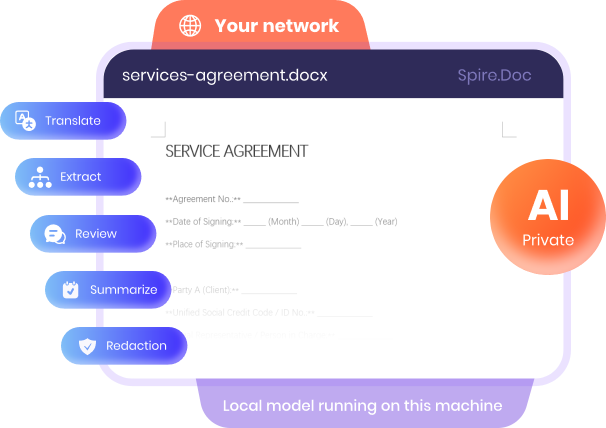
100% local & private
Runs entirely on your own machine — nothing is uploaded.
Ready out of the box
A ready-made model is built in — just install and start processing.
Light on hardware
Runs on an ordinary CPU — no high-end hardware required.
◈ Optional plugin download • Works with commercial & free Spire.Office for .NET
components • Used through API calls from your .NET code
components • Used through API calls from your .NET code
Real files, real API calls, real output
Every demo pairs a sample file with the
exact code that processed it and the result that came back.
exact code that processed it and the result that came back.
Translate an agreement into any language
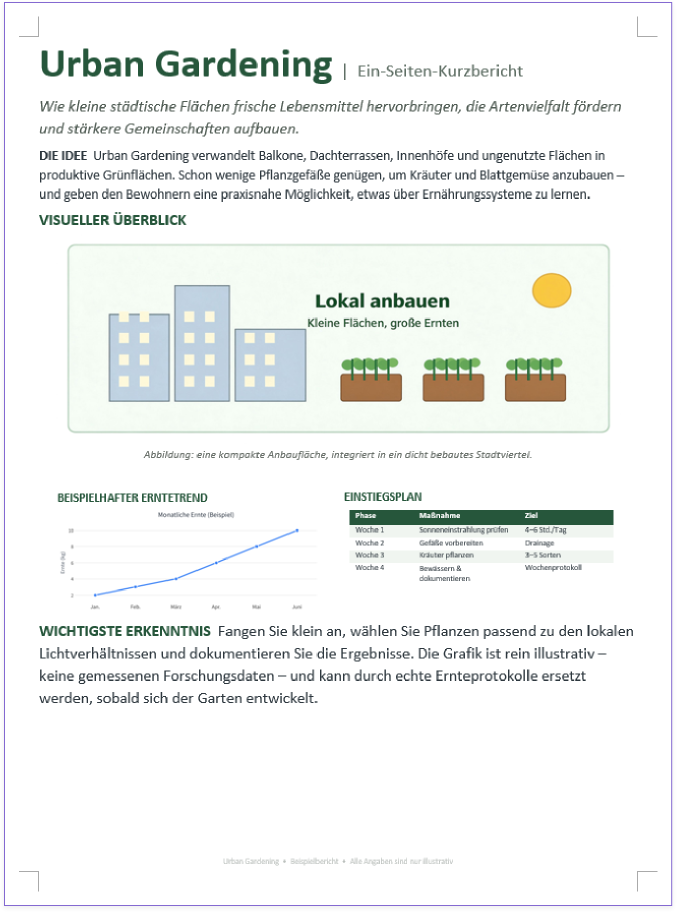
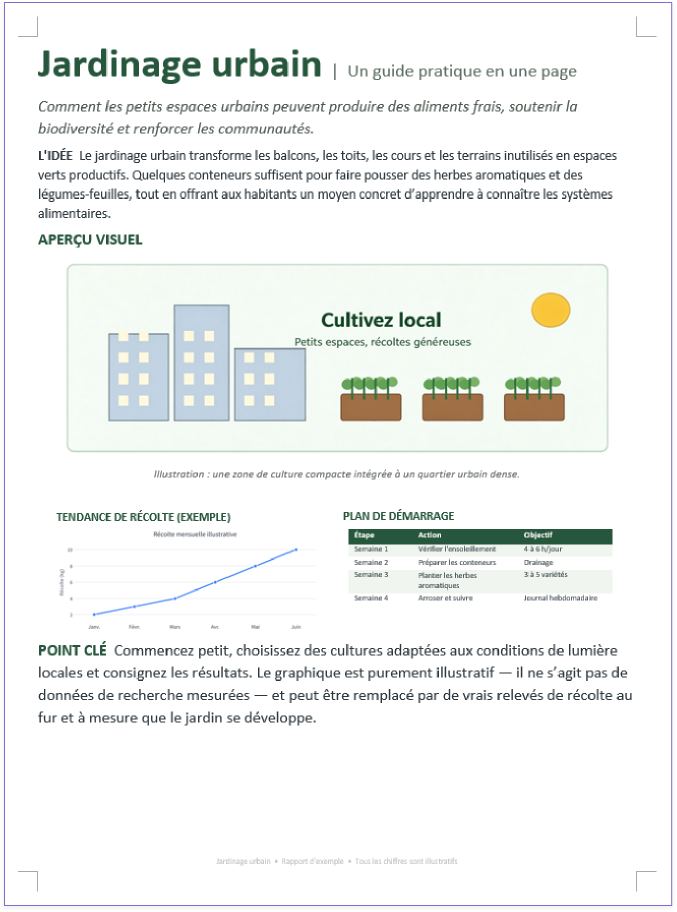
A multi-page Word file goes in. The same document comes out in the language you choose,
with headings, tables and images in the same places.
with headings, tables and images in the same places.
API call
var document = new Document();

document.LoadFromFile("input.docx");

await document.TranslateAsync
(TranslateLanguage.English);

document.SaveToFile("output.docx",
FileFormat.Docx2016);
Input: English .docx

Output: multiple languages


Reading a document is easy. Editing it
without breaking it is the hard part.
without breaking it is the hard part.
Any large language model API can read your documents. The hard part is writing the
result back safely, with formatting and structure intact and every change accounted for.
That is the part this plugin is built to get right.
result back safely, with formatting and structure intact and every change accounted for.
That is the part this plugin is built to get right.

Formatting stays intact
Only the text changes. Paragraph formatting and page
layout stay as they were, and PDFs are edited in place, with
no added pages and no shifted layout.

Built for each file type
Each format is handled on its own terms: worksheet ranges,
Word paragraphs, PDF page text and slide shapes. Nothing
gets flattened to plain text and pasted back.

No silent shortcuts
Each feature is built for the formats it supports. When
something can't be done, the plugin says so instead of
quietly returning a rough approximation.

Every change is traceable
The result lists what was changed, what was skipped and
what was dropped, item by item, so every edit can be
audited, reviewed and rolled back.
How Spire.Office.EdgeAI
works in Spire.Office for .NET
works in Spire.Office for .NET
One plugin connects your .NET code to a ready-to-use local AI model and adds AI document
processing to the Spire components you already use — a ready-made model built in, no cloud, no GPU.
processing to the Spire components you already use — a ready-made model built in, no cloud, no GPU.
Your environment
Your .NET app
Spire.XLS, Spire.Doc, Spire.Presentation or
Spire.PDF holds the document.

Local AI plugin
An API call hands the document to the
plugin. It ships with a ready-made model —
just download and run.
Local AI model
A built-in model runs on an ordinary CPU —
no high-end hardware needed — and returns
the processed document. 100% local.
100% local private AI • Ready-made model built in • Runs on a standard CPU
• Nothing leaves your machine
• Nothing leaves your machine
AI features for Word,
Excel,PowerPoint and PDF files
Excel,PowerPoint and PDF files
Each one runs locally, inside the
Spire component that already holds your file.
Spire component that already holds your file.

All components
AI translation,
layout intact
Translate documents on your own hardware while tables, headings, images and page structure stay where they were.

All components
AI redaction for
sensitive data
Remove names, contact details and other confidential content before files are shared, archived or sent outside.

Spire.Doc
Automatic formatting
and layout
Describe the result you want and get uniform headings, spacing and alignment across an inconsistent Word file.

Spire.Doc
AI contract review,
kept private
Run a first-pass contract review inside your own environment, so sensitive agreements never leave your network.

Spire.Doc
AI extraction of key
information
Pull the key details out of long Word documents automatically, without reading through them line by line.

Spire.XLS
AI data cleaning for
spreadsheets
Clean up inconsistent, messy spreadsheet data before you analyze it, import it into another system or share it.

Spire.PDF
AI summarizing for
long PDFs
Condense long PDF files into short, readable summaries so readers get the main points without the full read.

Spire.Presentation
AI speaker notes for
slides
Generate speaker notes for your PowerPoint slides automatically, so presenters start from a draft, not a blank page.
And more: text expansion and simplification for PowerPoint, topic-based document generation for PDF. New features are added continuously.
100% local private AI for documents
that stay inside your network.
that stay inside your network.
Contracts, financial records and internal reports are among the most sensitive files a business holds —
so everything is processed on your own machine, with nothing sent outside.
so everything is processed on your own machine, with nothing sent outside.
100% local, no upload
The model runs on your own machine or server. Document
content is never sent to an outside AI service.
content is never sent to an outside AI service.
Ready-made model, runs on CPU
The plugin ships with a ready-to-use model and runs
well on a standard CPU — no high-end hardware needed.
well on a standard CPU — no high-end hardware needed.
Built for strict environments
Fits enterprise document work with tight information security
rules, where files cannot leave the internal environment.
rules, where files cannot leave the internal environment.
Cloud AI service
Local AI plugin
Where the file
is processed
is processed
On a provider's
servers
servers
On your own
machine or server
machine or server
What leaves
your network
your network
Your document
content
content
Nothing —
no upload at all
no upload at all
Who can see
the content
the content
Depends on the
provider's terms
provider's terms
Only you —
100% local
100% local
What you need
to run it
to run it
Cloud subscription
& GPU
infrastructure
& GPU
infrastructure
A standard CPU is
enough —
no high-end
hardware needed
enough —
no high-end
hardware needed
Add Spire.Office.EdgeAI to
your .NET app in three steps
If you already load a document with Spire.Office, you already know most of it.
1
Add the plugin
Download the local AI plugin and reference it in your project next to Spire.Office for .NET.
2
Start the local engine
Create the engine once. It loads the model on your own machine or server.
3
Call a feature on your document
Pass the Document, Workbook, Presentation or PdfDocument to the engine, then save the file as usual.
C# example: translate a Word document
using Spire.Doc;
using Spire.Office.EdgeAI;
using Spire.Office.EdgeAI.Doc;

var document = new Document();

document.LoadFromFile("agreement_en.docx");

await document.TranslateAsync(TranslateLanguage.English);

document.SaveToFile("agreement_zh.docx / agreement_ja.docx / agreement_de.docx...", FileFormat.Docx2016);
Put AI to work
on documents that
can't leave.
The local AI plugin is free of charge and downloads separately
from Spire.Office for .NET. Planning an enterprise deployment?
Talk to us.


