Free plugin for Spire.Presentation for .NET
100% Private AI for PowerPoint in .NET
— No Cloud Upload
— No Cloud Upload
Adds local AI directly to your PowerPoint workflow in .NET. Generate speaker notes, translate slide content,
redact sensitive text, expand or simplify slide copy with an existing ready-made model that runs inside Spire.Presentation for .NET.
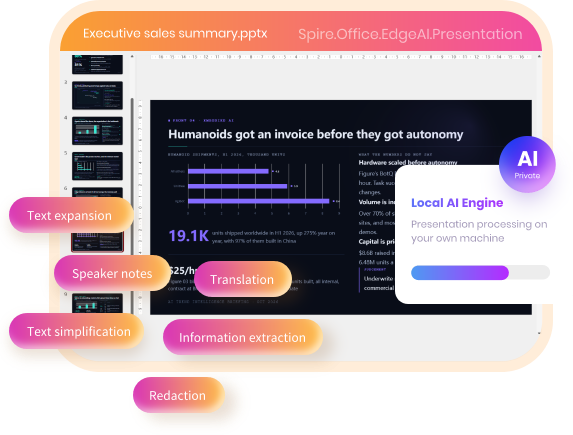
100% local & private
Runs entirely on your own machine — nothing is uploaded.
Ready out of the box
A ready-made model is built in — just install and start processing.
Light on hardware
Runs on an ordinary CPU — no high-end hardware required.
◈ Optional plugin download · Works with commercial & free Spire.Presentation for .NET components ·
Integrated via .NET API calls
Load a deck, call the API, save the result
Each demo bundle includes three deliverables: the original .pptx deck, source .NET code,
and the final AI-modified presentation.
and the final AI-modified presentation.
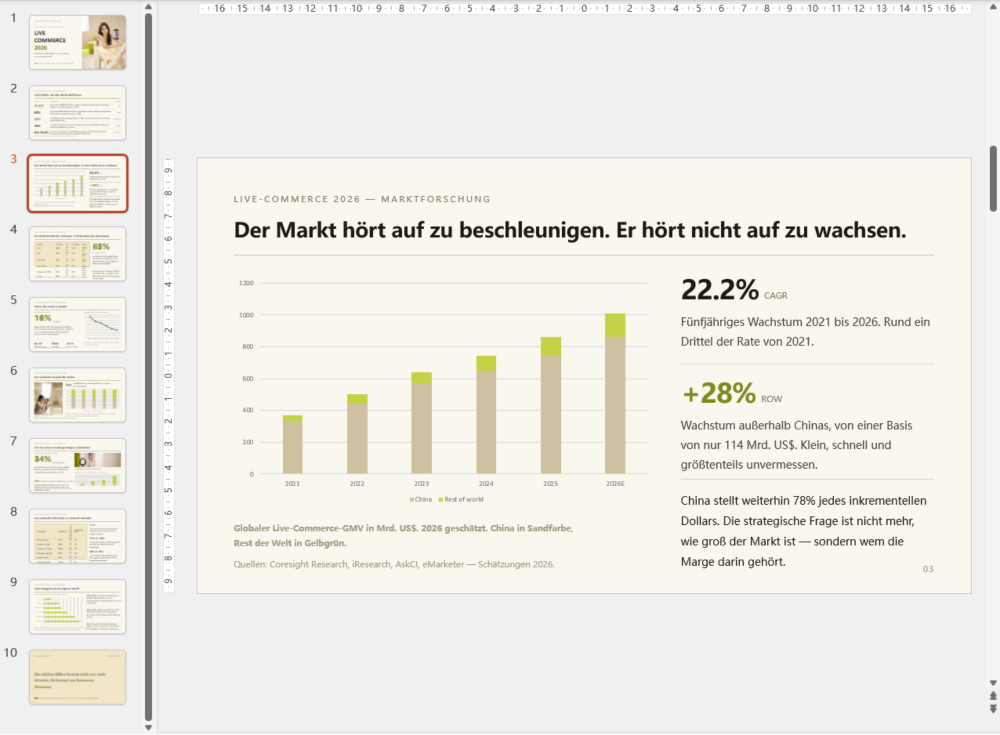
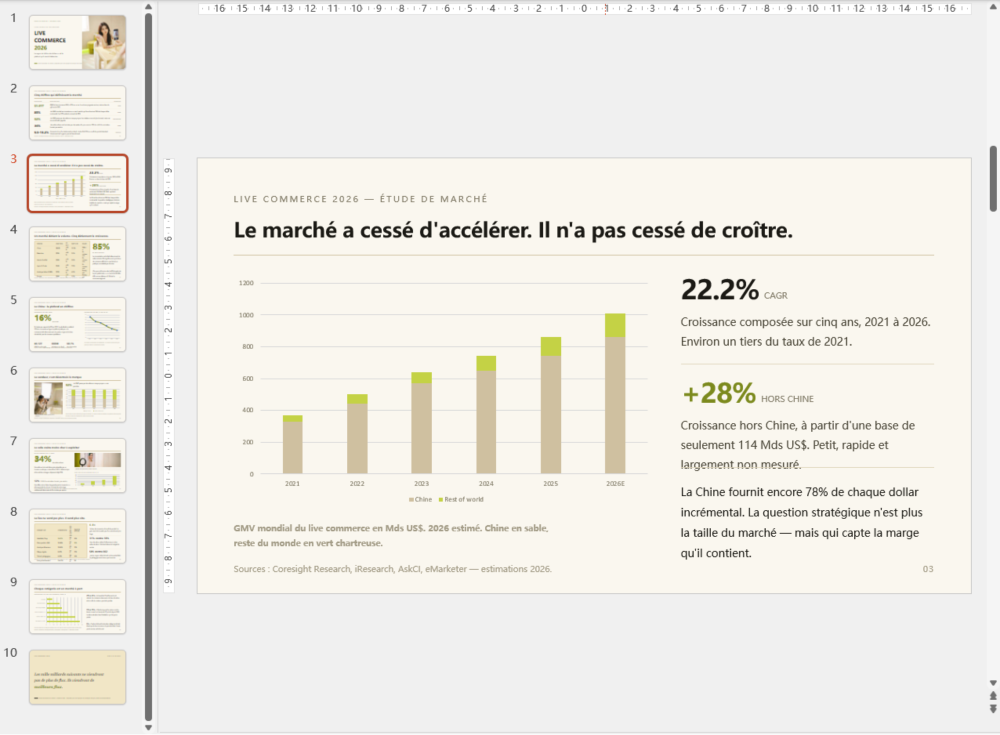
Translate a presentation into any language
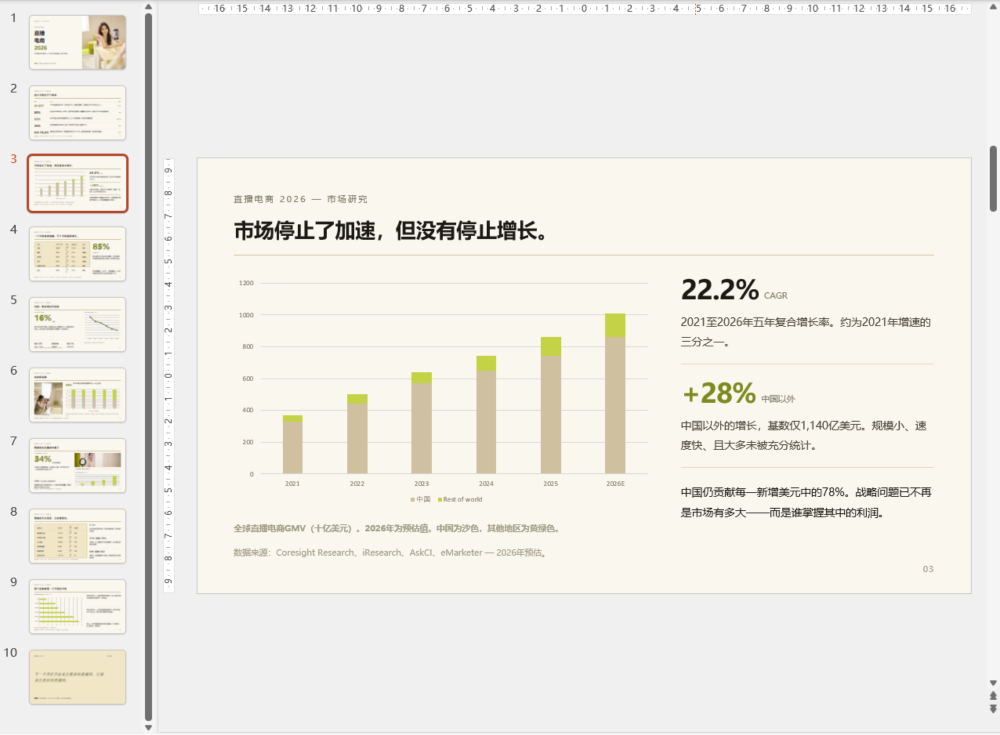
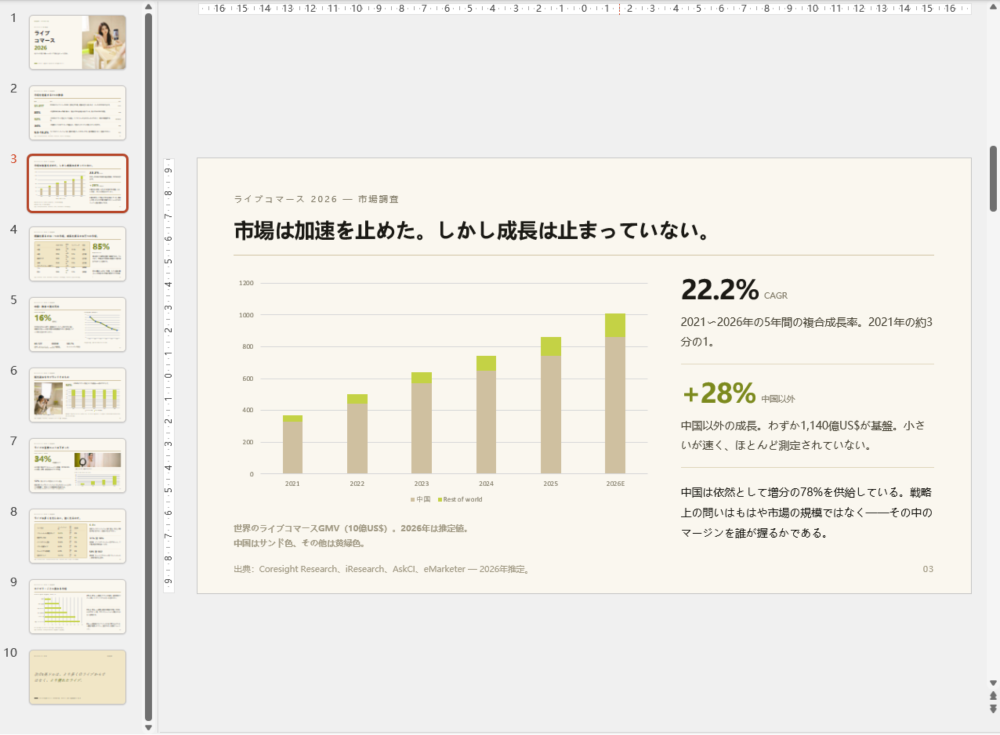
Feed in an English PowerPoint deck. Get back a fully localized version of your deck,
with headings, tables, charts and visuals locked in their original positions.
with headings, tables, charts and visuals locked in their original positions.
API call
var ppt = new Presentation();
ppt.LoadFromFile("input.pptx");
await ppt.TranslateAsync(TranslateLanguage.Japanese);
ppt.SaveToFile("Translated.pptx", FileFormat.Pptx2016);
Input: English.xlsx
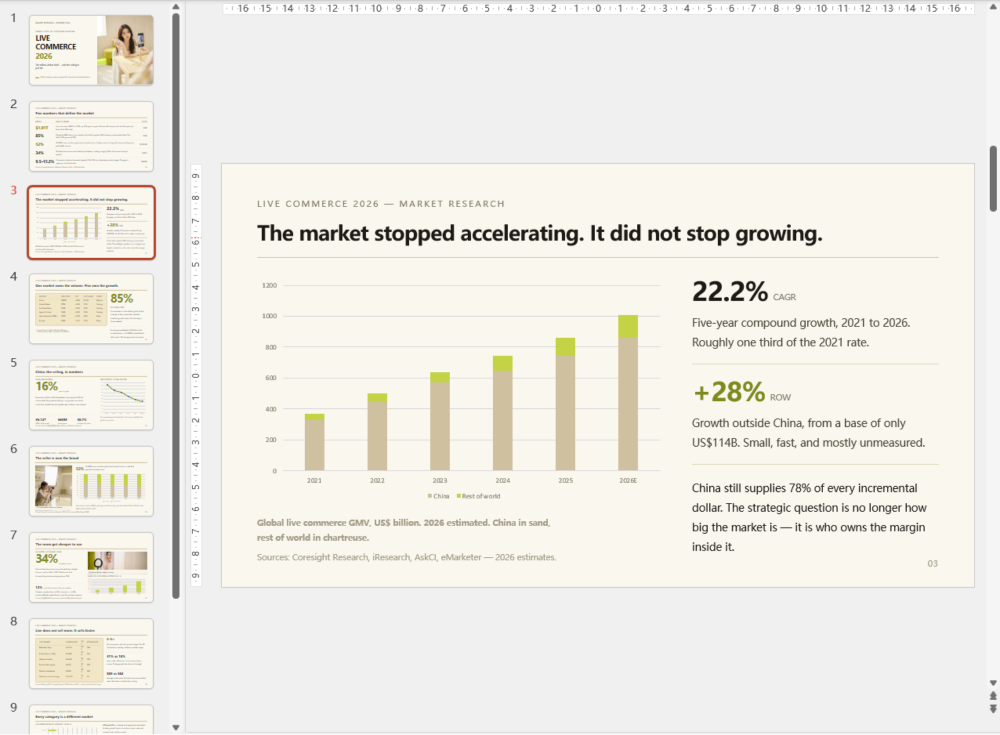
Output: multiple languages
Most AI tools can read a deck.
Few can edit one without breaking the layout.
Few can edit one without breaking the layout.
Pulling text out of slides is a solved problem.
Writing changes back into a live PPTX while preserving all layout is not.
Generic LLM APIs only handle raw text. Spire.Office.EdgeAI.Presentation edits the
presentation natively — no text dump, no risky rebuilds.
Writing changes back into a live PPTX while preserving all layout is not.
Generic LLM APIs only handle raw text. Spire.Office.EdgeAI.Presentation edits the
presentation natively — no text dump, no risky rebuilds.

Full slide layout preserved
Only target text is modified. Slide layouts, masters, themes, shape positions, and paragraph formatting remain unchanged.
The plugin does not regenerate slides from scratch.

Native PowerPoint processing
The plugin works directly with slide shapes, text frames, tables, charts, and speaker notes. Content is processed as the elements they actually
are — never flattened into plain text before processing.

No silent failures
Each AI capability is validated for PowerPoint file structures. If an operation isn’t possible for a given slide element, the plugin says so.
It does not silently return an incomplete or approximate result and call it finished.

Auditable records for each edit
Get itemized logs of all edits, skipped content, and omitted elements. Every AI modification is auditable, reviewable,
and supports rollback for enterprise compliance.
How Spire.Office.EdgeAI.Presentation works
in Spire.Presentation for .NET
in Spire.Presentation for .NET
Plug into your existing Spire.Presentation .NET codebase and unlock local AI for
PowerPoint slides. The built-in model runs locally, with zero cloud dependency and no GPU needed.
PowerPoint slides. The built-in model runs locally, with zero cloud dependency and no GPU needed.
Your environment
Your .NET app
Spire.Presentation holds the PowerPoint presentation.

Local AI plugin
An API call passes the presentation to the plugin. It ships with a ready-made model — just download and run.
Local AI model
A built-in model runs on an ordinary CPU — no high-end hardware needed. Processed presentation returns to your app. 100% local.
100% local private AI · Ready-made model built in · Runs on a standard CPU
· Nothing leaves your machine
· Nothing leaves your machine
Local AI capabilities for
PowerPoint presentations
PowerPoint presentations
Every capability executes on your own machine,
within the Spire.Presentation instance that already has the deck loaded
within the Spire.Presentation instance that already has the deck loaded
AI translation with
layout preservation
Translate full decks on premises. Tables, visuals, headings and slide composition stay intact throughout.

AI redaction for
confidential content
Remove personal information, contact details, and other sensitive data before sharing or archiving presentations.

AI speaker notes
generation
Auto-draft speaker notes for every slide or only for specified slides, ready for presenters.

AI text expansion &
simplification
Rewrite, expand, or simplify slide text based on your requirements while keeping slide layout stable.
AI extraction of
key insight
Extract critical takeaways from long presentations automatically, so your team skips manual slide by slide review.
And more: Chart generation, professional layout application, and theme styling for PowerPoint presentations. New features are added continuously.
100% local private AI for decks that
cannot leave your network.
cannot leave your network.
Business presentations often contain confidential strategy,
client data, and internal roadmaps. The plugin keeps all processing inside
your network, with nothing sent outside.
client data, and internal roadmaps. The plugin keeps all processing inside
your network, with nothing sent outside.
100% Local, No Upload
The model runs on your own machine or server.
Presentation content is never sent to an outside AI service.
Presentation content is never sent to an outside AI service.
Ready-made model, runs on CPU
The plugin ships with a ready-to-use model and runs
well on a standard CPU — no high-end hardware needed.
well on a standard CPU — no high-end hardware needed.
Built for strict environments
Ideal for enterprise systems with strict data governance rules
where documents cannot leave the internal network.
where documents cannot leave the internal network.
Cloud AI service
Local AI plugin
Where the file
is processed
is processed
On a provider's
servers
servers
On your own
machine or server
machine or server
What leaves
your network
your network
Your document
content
content
Nothing —
no upload at all
no upload at all
Who can see
the content
the content
Depends on the
provider's terms
provider's terms
Only you —
100% local
100% local
What you need
to run it
to run it
Cloud subscription
& GPU
infrastructure
& GPU
infrastructure
A standard CPU is
enough —
no high-end
hardware needed
enough —
no high-end
hardware needed
Add Spire.Office.EdgeAI.Presentation to
your .NET app in three steps
If you already load a presentation with
Spire.Presentation, you already know most of it.
1
Add the plugin
Download the local AI plugin and reference it in your project next to Spire.Presentation for .NET.
2
Start the local engine
Create the engine once. It loads the embedded local model on your own machine or server.
3
Call AI features on your presentation
Pass your Presentation object to the engine, then save the updated result file as normal.
C# example: translate a PowerPoint presentation
using Spire.Presentation;
using Spire.Office.EdgeAI;
using Spire.Office.EdgeAI.Presentation;

var ppt = new Presentation();
ppt.LoadFromFile("input.pptx");
await ppt.TranslateAsync(TranslateLanguage.English);
ppt.SaveToFile("Translated.pptx", FileFormat.Pptx2016);
Put AI to work on
presentations that
can't leave.
The local AI plugin is free of charge and downloads
separately from Spire.Presentation for .NET. Planning
an enterprise deployment? Talk to us.


