Free plugin for Spire.XLS for .NET
Local AI Excel Automation for .NET Kept Inside Your Network
Spire.Office.EdgeAI.XLS runs inside Spire.XLS for .NET and applies AI directly to your workbooks—translating,
cleaning and hiding data in place. No file export, no upload, and no third-party service ever sees your content.
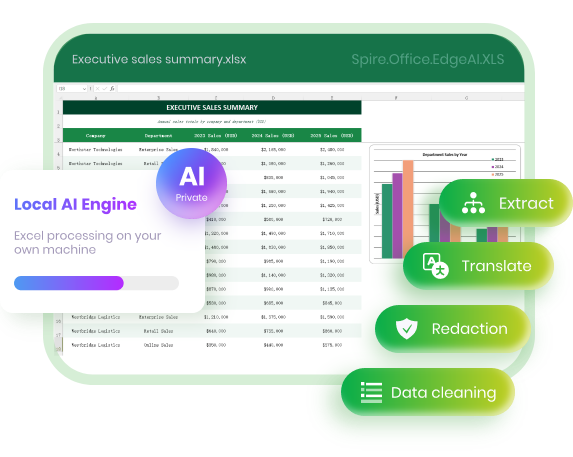
100% local & private
Runs entirely on your own machine — nothing is uploaded.
Ready out of the box
A ready-made model is built in — just install and start processing.
Light on hardware
Runs on an ordinary CPU — no high-end hardware required.
◈ Free optional plugin download · Ready-to-use local AI model ·
Integrates with Spire.XLS for .NET
Check it on real workbooks.
Explore practical examples of how Spire.Office.EdgeAI.XLS processes Excel workbooksEach example shows
a sample file, the exact code that ran on it, and the result it produced.
a sample file, the exact code that ran on it, and the result it produced.
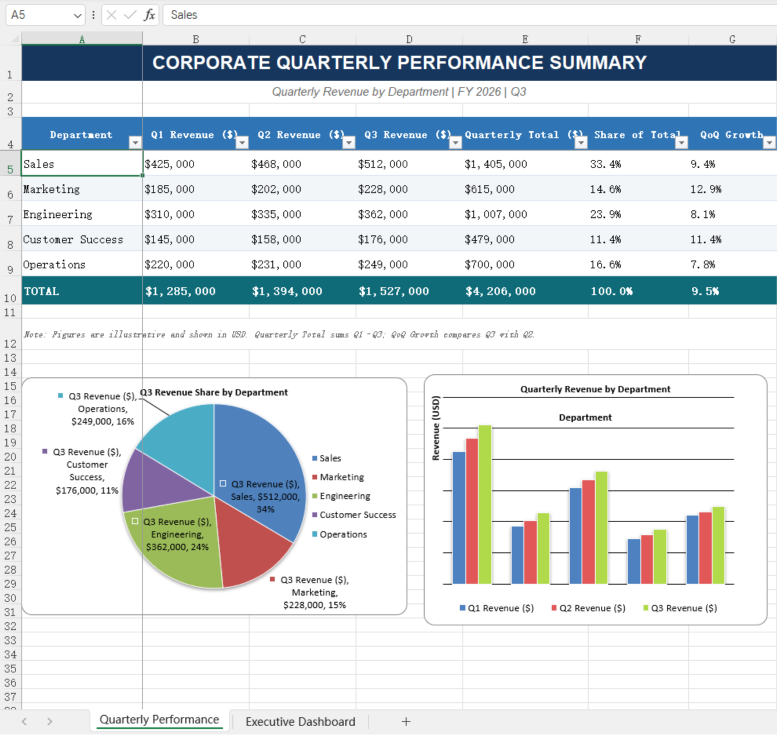
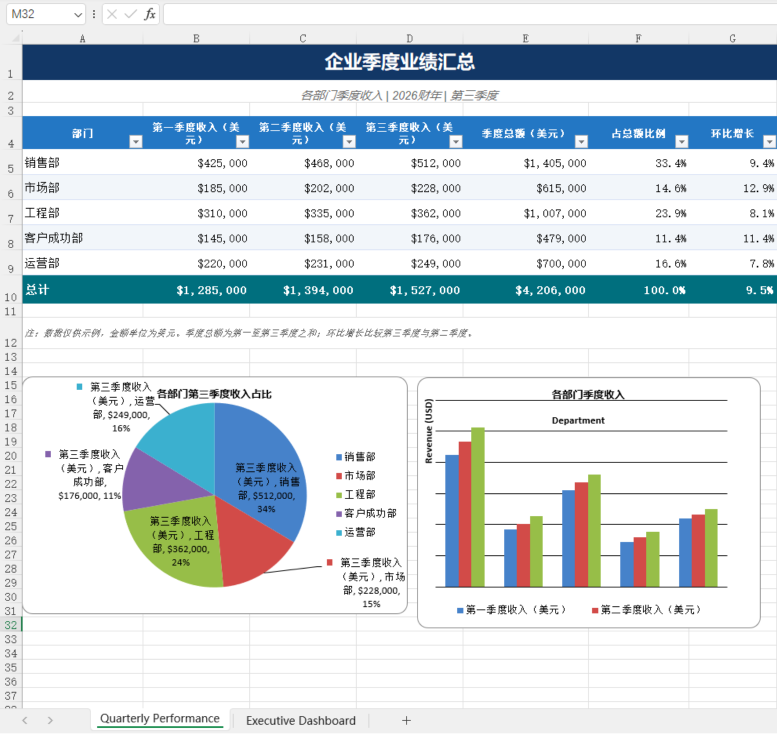
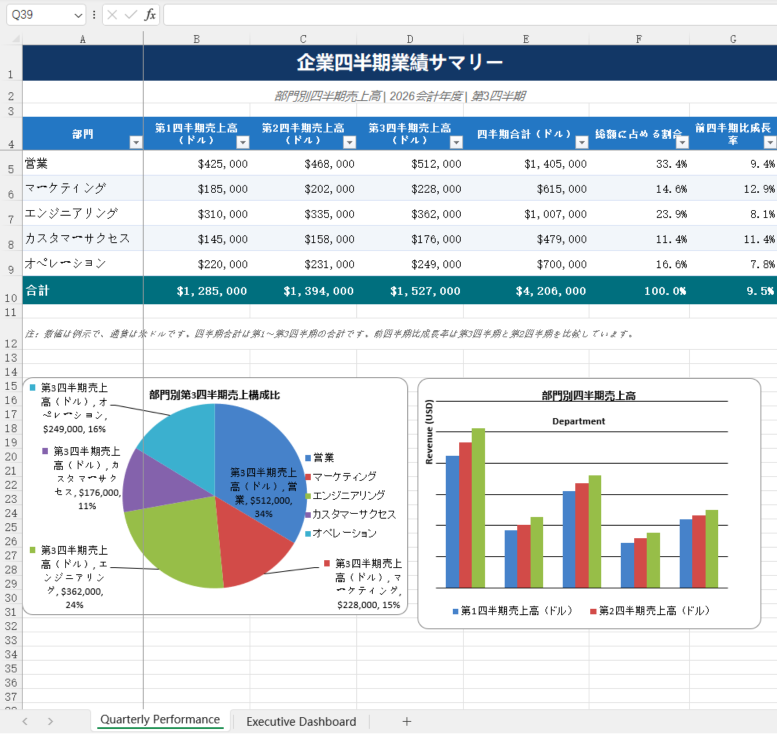
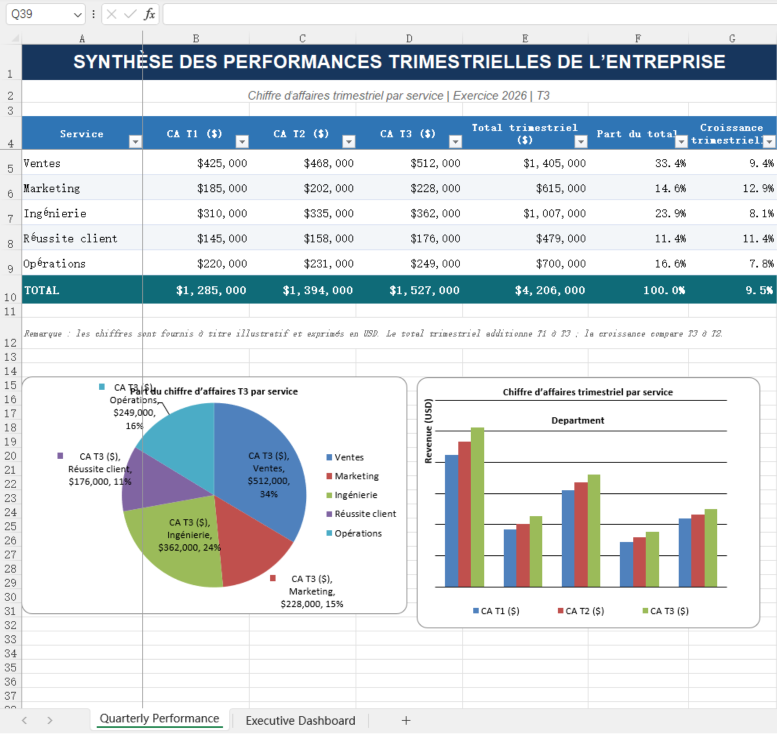
Translate a sale report into multiple languages while keeping layout
A Chinese workbook goes in. An English one comes out, with headings, sheets and number formats in the same places.
API call
// Translate
var workbook = new Workbook();
workbook.LoadFromFile("input.xlsx");
await workbook.TranslateAsync(TranslateLanguage.English);
workbook.SaveToFile("output.xlsx", ExcelVersion.Version2016);
Input: English.xlsx
Output: multiple languages

Most tools can read a spreadsheet.
Few can edit it while maintaining the format.
Few can edit it while maintaining the format.
Plenty of AI tools can read your sheets, but when it comes to editing—formulas break,
cell types shift, and layout gets ruined. That is exactly what this add-on is built to solve: seamless,
non-destructive editing right inside your spreadsheet.
cell types shift, and layout gets ruined. That is exactly what this add-on is built to solve: seamless,
non-destructive editing right inside your spreadsheet.

Only the values change
Everything else—number formats, styling and the sheet's structure—stays exactly as it was.

Speaks spreadsheet natively
Ranges, cells, formulas and tables are treated as real spreadsheet objects, not loose text that gets pasted back in.

No quiet shortcuts
When a task can't be done safely, the add-on tells you, rather than returning a confident but incorrect result.

A full audit trail
The output records what changed, what was skipped and what was dropped, so every edit can be checked and undone.
How Spire.Office.EdgeAI.XLS
fits into Spire.XLS for .NET
fits into Spire.XLS for .NET
A single add-on connects your .NET code to a model running on your own machine,
then adds AI to the Spire.XLS component you already use.
then adds AI to the Spire.XLS component you already use.
Your environment
Your .NET app
Opens and works with the workbook through Spire.XLS, just as before.

Local AI add-on
One method call sends the open workbook to the model on your own machine. Optional, separate download.
Local AI model
A built-in model runs on an ordinary CPU — no high-end hardware needed — and returns the processed document. 100% local.
100% local private AI · Ready-to-Use AI model · Runs on a standard CPU
· Data Stays on Your Device
· Data Stays on Your Device
What the AI can do
with your Excel files
with your Excel files
Every capability below runs locally, inside the same
Spire.XLS component that already holds your workbook.
Spire.XLS component that already holds your workbook.

Translate content,
keep the layout
Translate cell text into another language while tables, headers and formatting stay put.

Hide confidential
values
Hide names, contact details and other sensitive fields before a sheet is shared or exported.

Clean up
messy data
Standardize inconsistent entries before you analyze the data.

Extract structured
fields
Pull specific values (invoice number, dates, amounts…) from a sheet, each with the cell it came from. Read-only, nothing is changed.
And more: New features are added continuously.
Private, local AI for your
sensitive spreadsheets
sensitive spreadsheets
Payroll, finance and internal trackers are among
the most sensitive files a company keeps.
the most sensitive files a company keeps.
100% Local, No Upload
The model runs on your own machine or server. Document
content is never sent to an outside AI service.
content is never sent to an outside AI service.
Ready-made model, runs on CPU
The plugin ships with a ready-to-use model and runs
well on a standard CPU — no high-end hardware needed.
well on a standard CPU — no high-end hardware needed.
Built for strict environments
Fits enterprise document work with tight information security
rules, where files cannot leave the internal environment.
rules, where files cannot leave the internal environment.
Cloud AI service
Local AI plugin
Where the file
is processed
is processed
On a provider's
servers
servers
On your own
machine or server
machine or server
What leaves
your network
your network
Your document
content
content
Nothing —
no upload at all
no upload at all
Who can see
the content
the content
Depends on the
provider's terms
provider's terms
Only you —
100% local
100% local
What you need
to run it
to run it
Cloud subscription
& GPU
infrastructure
& GPU
infrastructure
A standard CPU is
enough —
no high-end
hardware needed
enough —
no high-end
hardware needed
Three steps to add
it to your .NET app
If you already open workbooks with
Spire.XLS, you already know most of what's involved.
1
Install the add-on
Download the local AI add-on and reference it alongside Spire.XLS for .NET.
2
Set your model path
Pass the location of your local model files; it loads once and stays ready for execution.
3
Run on any workbook
Call the AI method directly on your active Workbook object, then save as you normally would.
C# example: Translate a workbook into English
using Spire.Xls;
using Spire.Office.EdgeAI;
using Spire.Office.EdgeAI.Xls;

var workbook = new Workbook();
workbook.LoadFromFile("input.xlsx");
await workbook.TranslateAsync(TranslateLanguage.English);
workbook.SaveToFile("output.xlsx", ExcelVersion.Version2016);
Keep your
spreadsheet
AI in-house
The local AI add-on is free and downloads
separately from Spire.XLS for .NET. Planning
a larger rollout? Get in touch.


