
Java (485)
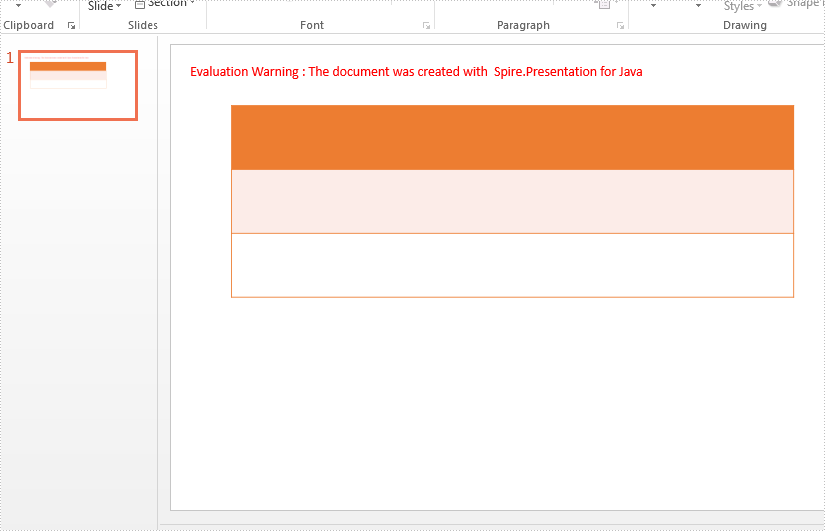
With Spire.Presentation for Java, we can format a table by applying preset table styles. This article will demonstrate how to apply predefined styles to a table on presentation slides.
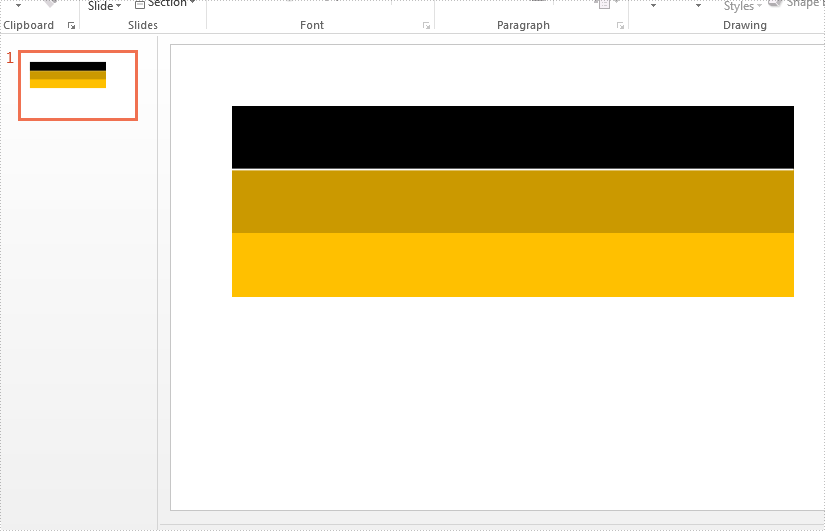
Firstly, view the table on the PowerPoint document:
import com.spire.presentation.ITable;
import com.spire.presentation.Presentation;
import com.spire.presentation.FileFormat;
import com.spire.presentation.TableStylePreset;

public class SetTableStyle {
    public static void main(String[] args) throws Exception {

        //Create a PPT document and load file
        Presentation presentation = new Presentation();
        presentation.loadFromFile("Sample.pptx");

        ITable table = null;

        for (Object shape : presentation.getSlides().get(0).getShapes()) {
            if (shape instanceof ITable) {
                table = (ITable) shape;
                //Set the table style from TableStylePreset and apply it to selected table
                table.setStylePreset(TableStylePreset.MEDIUM_STYLE_1_ACCENT_2);
            }
        }
        //Save the file
       presentation.saveToFile("SetTableStyle.pptx", FileFormat.PPTX_2010);

    }
}
Effective screenshot after updating the table style:
Published in
Table
Tagged under
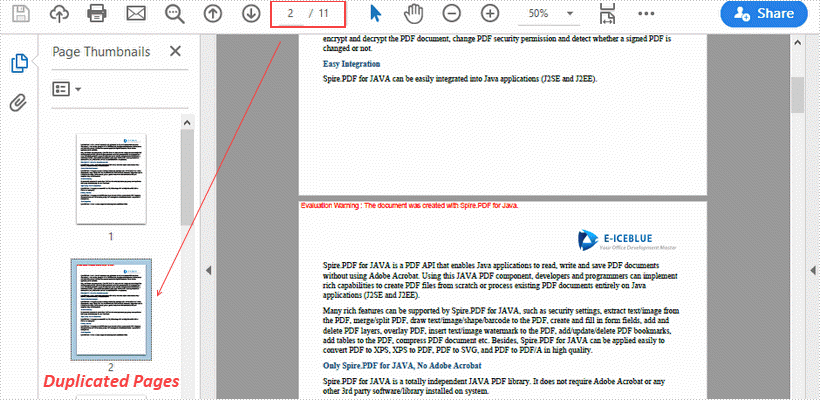
This article demonstrates how to duplicate a page within a PDF document using Spire.PDF for Java.
import com.spire.pdf.PdfDocument;
import com.spire.pdf.PdfPageBase;
import com.spire.pdf.graphics.PdfMargins;
import com.spire.pdf.graphics.PdfTemplate;

import java.awt.geom.Dimension2D;
import java.awt.geom.Point2D;

public class DuplicatePage {

    public static void main(String[] args) {

        //Load a sample PDF document
        PdfDocument pdf = new PdfDocument("C:\\Users\\Administrator\\Desktop\\original.pdf");

        //Get the first page
        PdfPageBase page = pdf.getPages().get(0);

        //Get the page size
        Dimension2D size = page.getActualSize();

        //Create a template based on the page
        PdfTemplate template = page.createTemplate();

        for (int i = 0; i < 10; i++) {

            //Add a new page to the document
            page = pdf.getPages().add(size, new PdfMargins(0));

            //Draw template on the new page
            page.getCanvas().drawTemplate(template, new Point2D.Float(0, 0));
        }

        //Save the file
        pdf.saveToFile("output/DuplicatePage.pdf");
    }
}
Published in
Document Operation
Tagged under
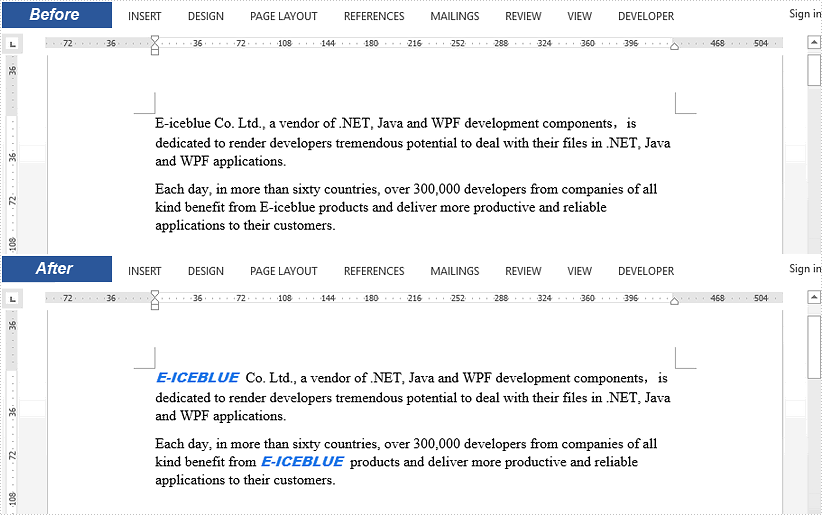
This article demonstrates how to replace selected text in a Word document with an image using Spire.Doc for Java.
import com.spire.doc.Document;
import com.spire.doc.FileFormat;
import com.spire.doc.documents.TextSelection;
import com.spire.doc.fields.DocPicture;
import com.spire.doc.fields.TextRange;

public class ReplaceTextWithImage {

    public static void main(String[] args) {

        //Load a sample Word file
        Document document = new Document();
        document.loadFromFile("C:\\Users\\Administrator\\Desktop\\input.docx");

        //Find the string 'E-iceblue' in the document
        TextSelection[] selections = document.findAllString("E-iceblue", true, true);

        //Replace the string with an image
        int index = 0;
        TextRange range = null;
        for (Object obj : selections) {

            TextSelection textSelection = (TextSelection)obj;
            DocPicture pic = new DocPicture(document);
            pic.loadImage("C:\\Users\\Administrator\\Desktop\\e-iceblue-logo.png");
            range = textSelection.getAsOneRange();
            index = range.getOwnerParagraph().getChildObjects().indexOf(range);
            range.getOwnerParagraph().getChildObjects().insert(index,pic);
            range.getOwnerParagraph().getChildObjects().remove(range);
        }

        //Save the document
        document.saveToFile("output/ReplaceTextWithImage.docx", FileFormat.Docx_2013);
    }
}
Published in
Text
Tagged under
