Knowledgebase (2370)
Children categories
A PDF Portfolio can combine a wide range of file types such as Word, Excel, PDF and Image files, compared with merging files into a single PDF file, PDF Portfolio remains the individual identities of the files, and you can easily open, read, edit, and format each of them independently of the other files in the PDF Portfolio.
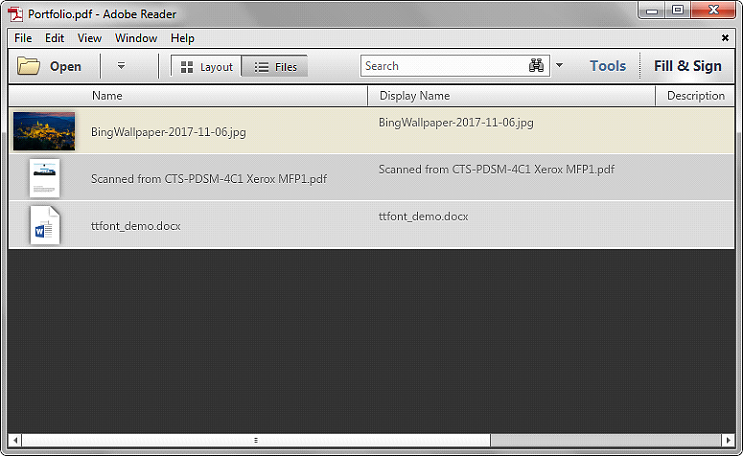
Spire.PDF allows developers to detect if a PDF file is a Portfolio programmatically using c# and vb.net. The following example uses a PDF Portfolio consists of an image, a PDF document and a Word file:
Detail steps:
Step 1: Instantiate a PdfDocument object and load the PDF file.
PdfDocument pdf = new PdfDocument();
pdf.LoadFromFile("Portfolio.pdf");
Step 2: Detect if the PDF file is a Portfolio.
bool isPortfolio = pdf.IsPortfolio;
if (isPortfolio)
{
    Console.WriteLine("It's a Portfolio!");
}
Screenshot:

Full code:
using System;
using Spire.Pdf;

namespace Detect_if_a_PDF_is_a_Portfolio
{
    class Program
    {
        static void Main(string[] args)
        {
            PdfDocument pdf = new PdfDocument();
            pdf.LoadFromFile("Portfolio.pdf");

            bool isPortfolio = pdf.IsPortfolio;
            if (isPortfolio)
            {
                Console.WriteLine("It's a Portfolio!");
            }
            Console.ReadKey();
        }
    }
}
Imports Spire.Pdf

Namespace Detect_if_a_PDF_is_a_Portfolio
	Class Program
		Private Shared Sub Main(args As String())
			Dim pdf As New PdfDocument()
			pdf.LoadFromFile("Portfolio.pdf")

			Dim isPortfolio As Boolean = pdf.IsPortfolio
			If isPortfolio Then
				Console.WriteLine("It's a Portfolio!")
			End If
			Console.ReadKey()
		End Sub
	End Class
End Namespace
With Spire.Doc, we can set the formats for paragraph in C#. This article will focus on demonstrate how to set the spacing before and after the paragraph in C#.
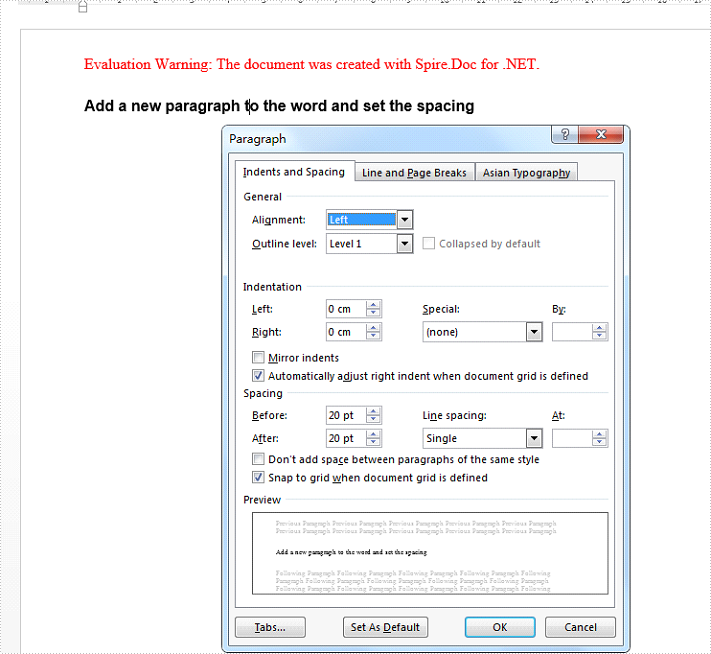
Set the spacing before and after the paragraph for a newly added paragraph added by the method of paragraph.AppendHTML() to a new blank word document.
//create a new word document and add a section and paragraph to it.
Document doc = new Document();
Section sec = doc.AddSection();
Paragraph para = sec.AddParagraph();
//Add the text strings to the paragraph and set the style
para.AppendHTML("Add a new paragraph to the word and set the spacing
");
para.ApplyStyle(BuiltinStyle.Heading1);
//set the spacing before and after
para.Format.BeforeAutoSpacing = false;
para.Format.BeforeSpacing = 20;
para.Format.AfterAutoSpacing = false;
para.Format.AfterSpacing = 20;
//save the document to file
doc.SaveToFile("Result1.docx");
using Spire.Doc;
using Spire.Doc.Documents;
using Spire.Doc.Fields;
namespace SetSpacing
{
 class Program
    {

     static void Main(string[] args)
     {
         //create a new word document and load the sample from file
         Document document = new Document();
         document.LoadFromFile("sample.docx", FileFormat.Docx);

         //Add the text strings to the paragraph and set the style
         Paragraph para = new Paragraph(document);
         TextRange textRange1 = para.AppendText("This is a inserted paragraph.");
         textRange1.CharacterFormat.TextColor = Color.Blue;
         textRange1.CharacterFormat.FontSize = 15;

         //set the spacing before and after
         para.Format.BeforeAutoSpacing = false;
         para.Format.BeforeSpacing = 10;
         para.Format.AfterAutoSpacing = false;
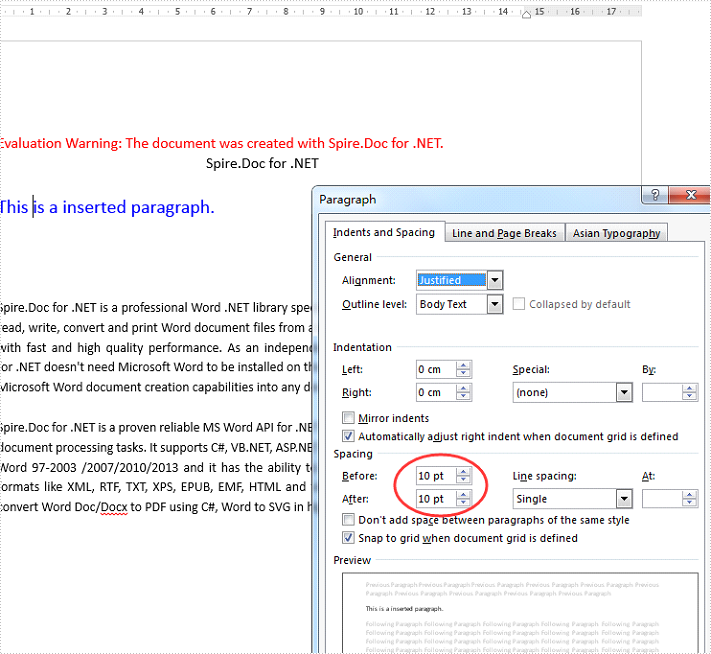
         para.Format.AfterSpacing = 10;

         //insert the added paragraph to the word document
         document.Sections[0].Paragraphs.Insert(1, para);

         //save the document to file
         document.SaveToFile("Result2.docx", FileFormat.Docx2010);
     }

    }
}
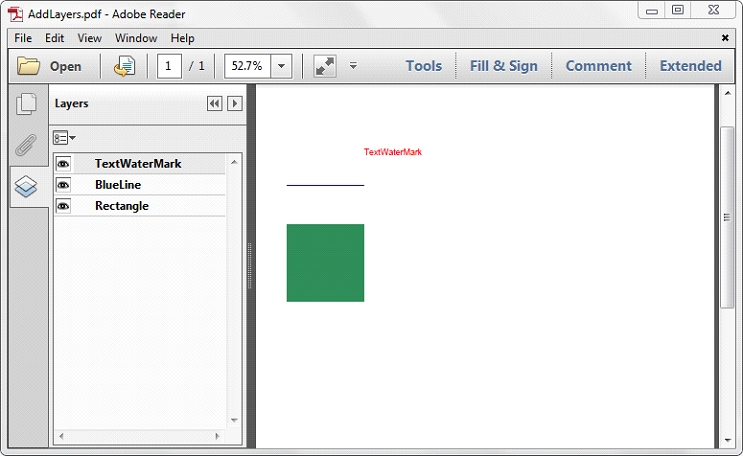
When creating a PDF layer, Spire.PDF allows developers to set an initial visibility state for the layer. While it also supports to change the visibility of existing layers in a PDF document. This article explains how to show or hide the existing layers using Spire.PDF.
PdfLayer.Visibility property is used to change the visibility of a PDF layer. To show a hidden layer, set the PdfLayer.Visibility property to PdfVisibility.On. To hide an existing layer, set the PdfLayer.Visibility to PdfVisibility.Off.
The following example shows how to hide a specific PDF layers:
using Spire.Pdf;
using Spire.Pdf.Graphics.Layer;

namespace HideLayer
{
    class Program
    {
        static void Main(string[] args)
        {
            using (PdfDocument doc = new PdfDocument("AddLayers.pdf"))
            {
                //Hide the layer by index
                doc.Layers[1].Visibility = PdfVisibility.Off;

                //Hide the layer by Name
                //doc.Layers["BlueLine"].Visibility = PdfVisibility.Off;

                //Save the file
                doc.SaveToFile("HideLayer.pdf");
            }
        }
    }
}
To show or hide all of the layers:
using Spire.Pdf;
using Spire.Pdf.Graphics.Layer;

namespace ShowLayer
{
    class Program
    {
        static void Main(string[] args)
        {
            using (PdfDocument doc = new PdfDocument("AddLayers.pdf"))
            {
                for (int i = 0; i < doc.Layers.Count; i++)
                {
                    //Show all of the layers
                    //doc.Layers[i].Visibility = PdfVisibility.On;

                    //Hide all of the layers
                    doc.Layers[i].Visibility = PdfVisibility.Off;
                }
                //Save the file
                doc.SaveToFile("HideAllLayers.pdf");
            }
        }
    }
}
Screeshot of the sample PDF document:
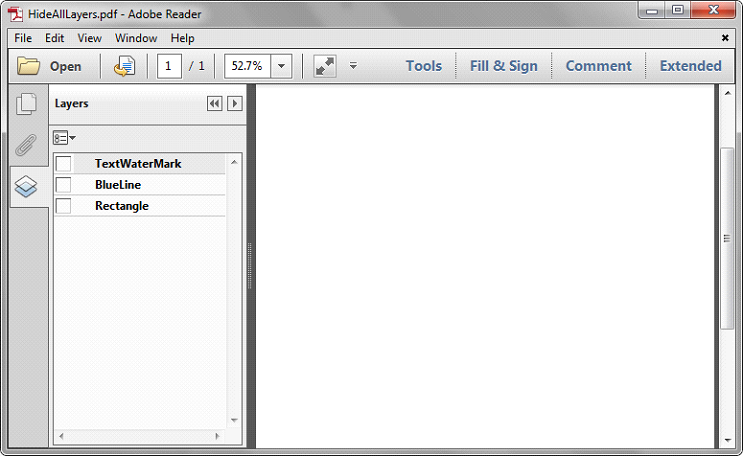
Screenshot after hiding all of the layers: