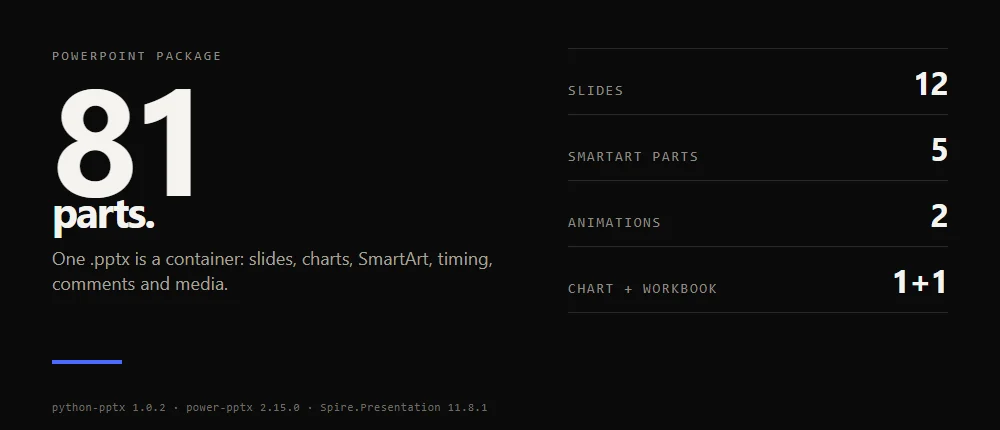
Open a .pptx file with a ZIP tool and you will find far more than slides: a chart backed by an embedded Excel workbook, a SmartArt diagram split across five package parts, animation timing XML, transition definitions, speaker notes, modern comments, an embedded video, and hyperlink relationships. Any Python PPTX library has to decide what to do with all of that, not just the text boxes you came to edit.
Most comparisons stop at feature bullets and imply that anything without a checkbox is destroyed on save. We tested that assumption with a 12-slide PowerPoint file containing those objects, run through each library and measured at the package, object, and pixel level.
The result separates two questions. Preservation: python-pptx keeps what it cannot touch, which makes it dependable for a large class of editing jobs. Capability: the gap opens when a project must create or manipulate those objects. This article presents the evidence first, then maps where each API reaches.
A PowerPoint File Is More Than Its Visible Slides
Our test file was generated with PowerPoint itself through COM automation, not assembled by hand, so it provides a representative test fixture with a range of objects found in real-world presentations. It has 12 slides and 35 shape elements: a title slide, body text with an external hyperlink, a 4×3 table, a column chart backed by an embedded .xlsx, an image, a grouped shape, a SmartArt diagram, two animated shapes with a Fade transition, speaker notes, a modern review comment, an embedded video, and a page-internal jump link.
Unzipped, that is 81 package parts and about 100 KB. Most of those parts are invisible to the reader but load-bearing for the presentation: the timing XML for the animated slide, the transition XML, the five SmartArt parts (data, layout, quick style, colors, and drawing), the comment part with author metadata, the media file for the video.
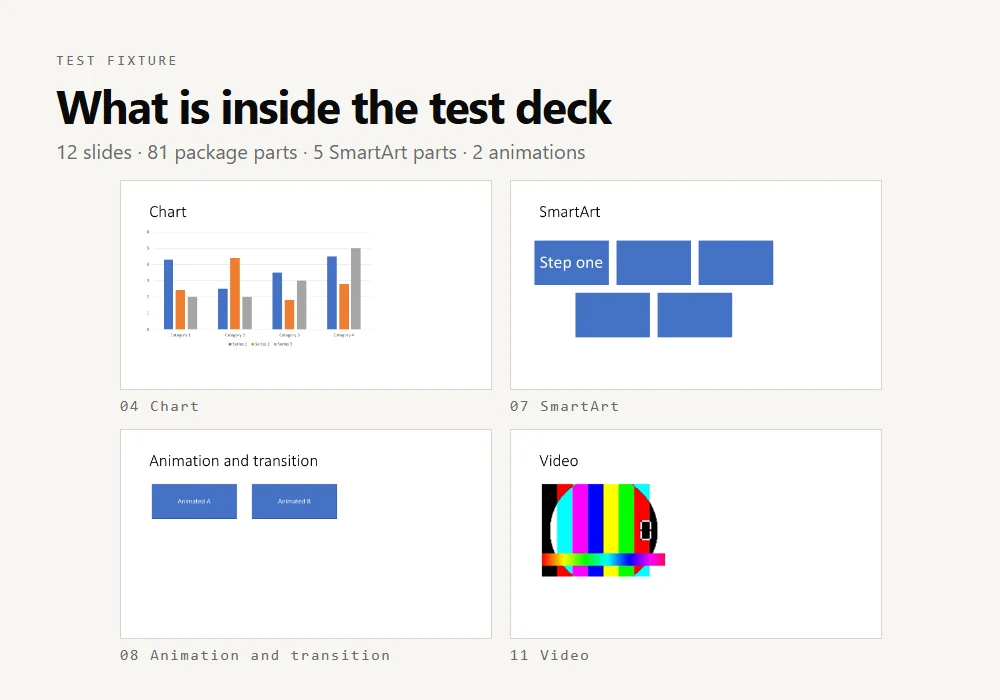
This matters for library selection because the OOXML format does not have a "safe mode." When a library opens a package, rewrites it, and saves it, every one of those parts is in scope. The question is never only "can it add a text box." It is "what does it do to the 80 parts it was not asked about."
What Happens When Python Saves an Existing PPTX?
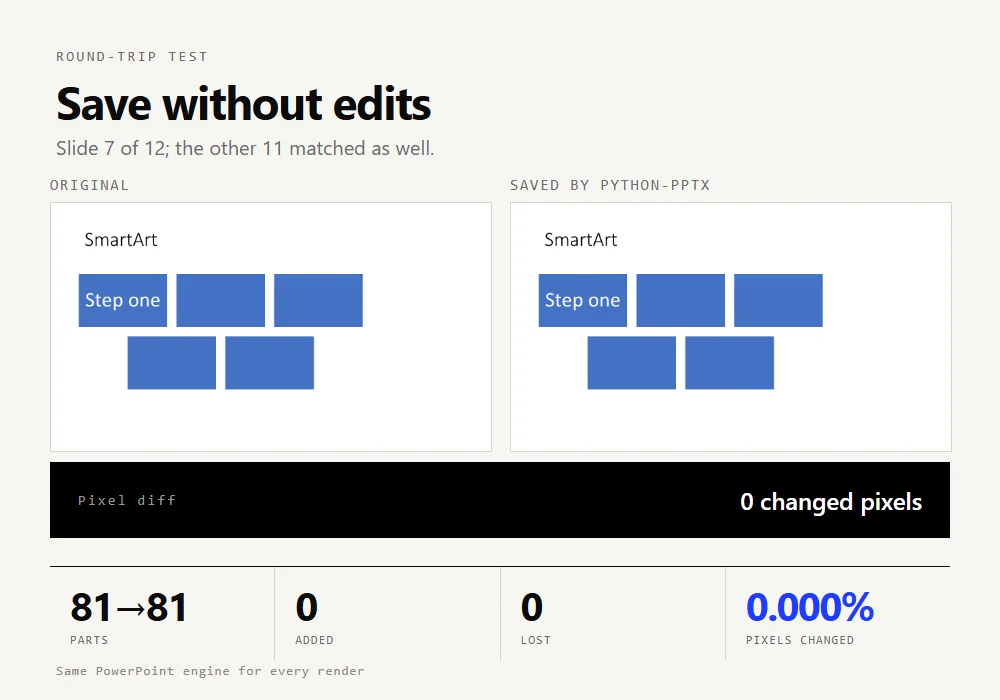
We opened the file with python-pptx 1.0.2, power-pptx 2.15.0, and Spire.Presentation for Python 11.8.1 (evaluation), saved without edits, and audited three layers: the ZIP package structure, the object model that PowerPoint itself reports through COM, and a pixel-level diff of all 12 slides rendered by the same PowerPoint engine at 1280×720. Spire.Presentation is E-iceblue's own product, and this test was run by the publisher; the raw results are reported below, including where the results are less flattering to Spire.
| Metric | Original | python-pptx | power-pptx | Spire |
|---|---|---|---|---|
| Slides | 12 | 12 | 12 | 12 |
| Shapes | 35 † | 35 | 35 | 35 |
| Animation sequences | 2 | 2 | 2 | 2 |
| Slides with a transition | 1 | 1 | 1 | 1 |
| SmartArt nodes | 5 | 5 | 5 | 5 |
| Comments | 1 | 1 | 1 | 1 |
| Video / chart / table / notes | 1/1/1/1 | 1/1/1/1 | 1/1/1/1 | 1/1/1/1 |
| Broken relationship references | 0 | 0 | 0 | 0 |
| Rendered pixel difference | — | 0.000% | 0.000% | 0.000% |
† Shape elements are counted from the slide XML. Two of them sit inside a group, so PowerPoint's top-level shape count is 33 for every file; the modification test below reports 34 because we added one text box.
Two details are worth more than the table.
First, python-pptx and power-pptx added and lost no parts. Their files were about 7% smaller because re-serialization dropped whitespace and repeated namespace declarations; the SmartArt data and layout parts, the modern comment part, and the animation timing XML were byte-for-byte identical. That is stronger than matching counts: the parts were carried through, not regenerated.
You can reproduce that first layer on any deck:
import zipfile

before = zipfile.ZipFile("original.pptx")
after = zipfile.ZipFile("saved.pptx")
print(sorted(set(before.namelist()) ^ set(after.namelist())))  # [] = no parts added or lost
An empty list is the cheap first check; if it is not empty, compare the differing parts before trusting the file.
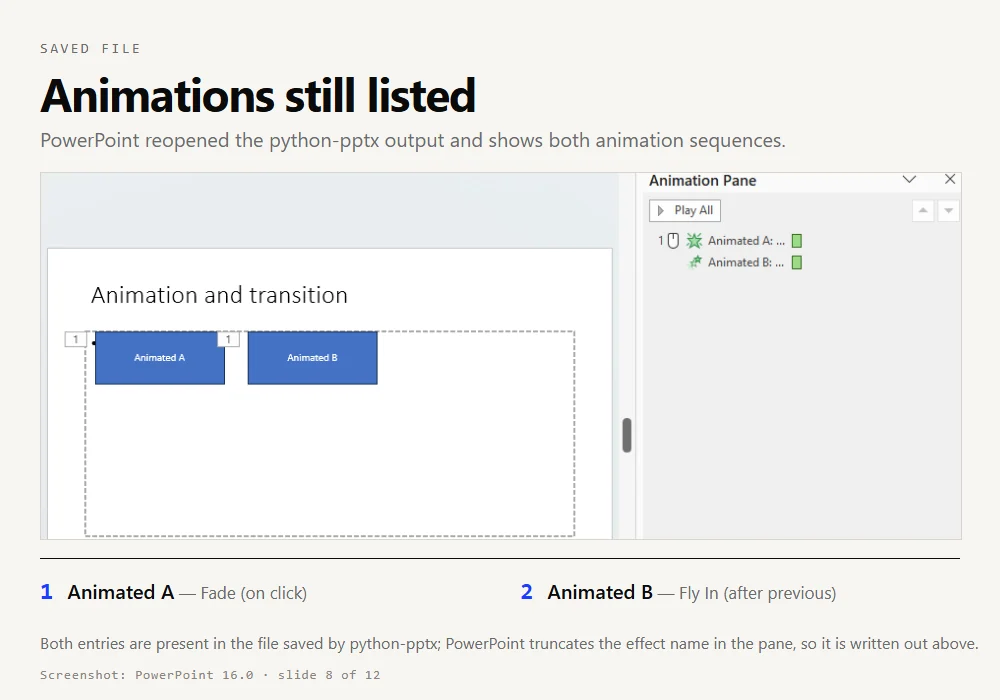
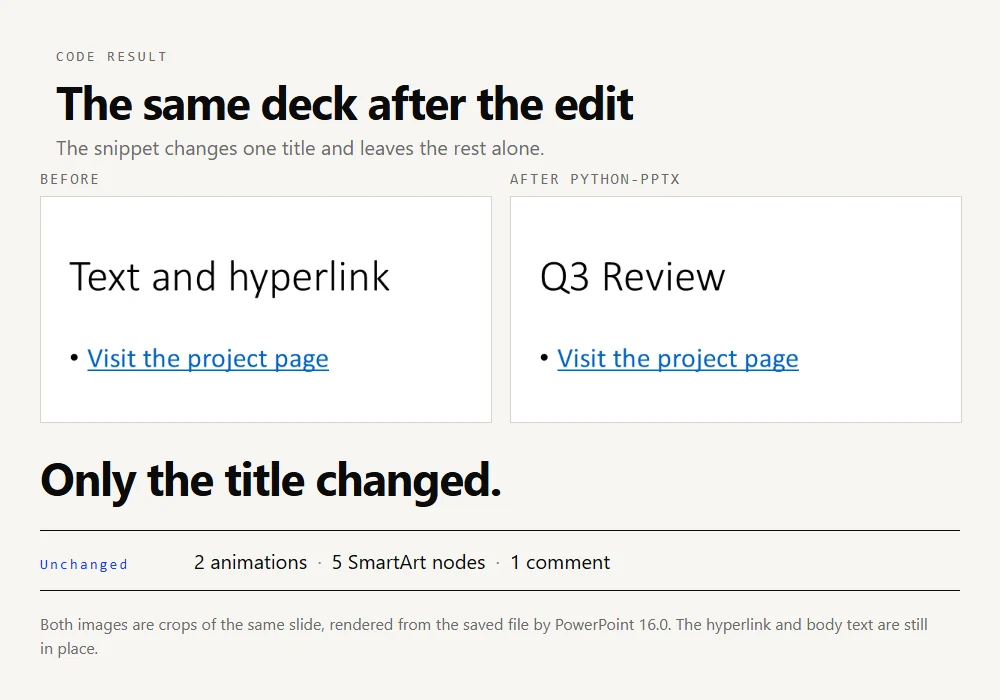
Second, the modification test. We edited a title on slide 2, added a text box, and saved. Animations, transition, SmartArt, comment, video, chart, and notes were all still there, and PowerPoint reported the same counts plus one shape. This is where the common claim that python-pptx drops animations and SmartArt on save fails against evidence.
One boundary: we verified that animation definitions and structures survived and that PowerPoint still recognizes them. We did not run a slideshow frame by frame, so we do not claim animations play exactly as before. The same applies to video: media, relationships, and the first frame survived; playback across devices was not tested.
Spire preserved the tested features at the object and rendering levels, though some OOXML structures were rewritten: timing and SmartArt XML were regenerated, the modern comment became the older comment1.xml + tag1.xml format, and empty timing nodes were added to every slide along with transition elements. The comment's author and text came through correctly, but we did not verify reply threads, resolved states, or collaboration metadata for a single test comment. PowerPoint reopened the file with the expected objects; the package layout, however, was not preserved byte for byte.
What python-pptx Actually Handles
The round-trip result above explains why python-pptx remains the default choice for a whole family of jobs: it edits the objects it models well and preserves everything else. Its object model covers the standard content of a working deck:
- Text, images, tables, charts, and hyperlinks — read and write for common operations, with coverage varying by object type; replacing chart data rewrites the embedded workbook.
-
Speaker notes — a first-class
NotesSlideobject. -
Video —
add_movieinserts a video object. The API is marked experimental: you specify the size, MIME type, and poster frame yourself, and media playback compatibility is a separate question. -
Slides from layouts —
add_slidebuilds new slides from the master's layouts, which is the backbone of template-driven generation.
That API surface supports the most common automation pattern: a fixed corporate template, a script that creates slides from predefined layouts and fills in titles, numbers, charts, and images per customer or per week, and a final file that goes back into PowerPoint for delivery. Round-trip fidelity is exactly what this pattern needs, because the template's animations and SmartArt are meant to be preserved, not scripted.
from pptx import Presentation

prs = Presentation("template.pptx")

slide = prs.slides[1]
title = slide.shapes.title          # works regardless of localized shape names
if title is not None:
    title.text = "Q3 Review"

prs.save("edited.pptx")
Run it against a copy of your template and reopen the result: the title changes, and the rest of the file is untouched.
The library is MIT-licensed, needs no Office installation, and pulls in a small dependency set — lxml, Pillow, XlsxWriter, typing-extensions — none of which requires a desktop application. For jobs inside its object model, it is predictable and free.
The Python PPTX Ecosystem: Upstream and Forks
The upstream package remains at version 1.0.2, released in August 2024, with no newer formal release since. Meanwhile, several forks have introduced additional APIs and workflows on top of the upstream object model. That is worth understanding if you are picking a python-pptx alternative, because the options are less "different libraries" and more "one codebase with diverging feature sets."
| Package | Version | Position |
|---|---|---|
| python-pptx | 1.0.2 | The upstream base, MIT |
| power-pptx | 2.15.0 | An actively maintained fork, MIT, Python 3.10–3.15 |
| ps-python-pptx | 1.3.0 | A fork adding theme and background control, list and rich-text helpers, alt text, shape z-order, and slide-clearing APIs |
| python-pptx-ng | 0.7.0 | An older historical branch, largely inactive |
power-pptx keeps the upstream object model and adds slide management — remove, move, reorder, duplicate — plus set_transition for slide transitions, a layout linter, automatic repair, and an HTML import path. Its render_thumbnails renders slides, but through an external LibreOffice and Poppler/PDFium chain rather than a built-in engine, which becomes a deployment question rather than a feature checkbox.
One practical trap worth knowing before you experiment: ps-python-pptx exposes the same pptx import name as the upstream package. Installing both in one environment will not give you both; use separate virtual environments when you want to compare them.
Where the APIs Differ
The round-trip table in the second section answers "what survives a save." This table answers a different question: what each library can actively create, read, and modify. Keep the two separate — in our test, python-pptx preserved every object type it has no API for.
Presentation authoring
| Capability | python-pptx | power-pptx | Spire.Presentation |
|---|---|---|---|
| Text, images, tables, charts, hyperlinks | Native | Native | Native |
| Speaker notes | Native | Native | Native |
| Video insertion | Experimental (add_movie); manual sizing and poster frame |
Native | Native (InsertVideo) |
| New slides | Native | Native | Native |
| Delete / reorder / duplicate slides | No |
remove / move / reorder / duplicate
|
Native |
| Shape animations | No | No | Native (Timeline) |
| Slide transitions | No | set_transition |
Native (SlideShowTransition) |
| SmartArt creation | No | No | Native (InsertSmartArt) |
| Comments | No | No | Native (AddComment / DeleteComment) |
Document processing
| Capability | python-pptx | power-pptx | Spire.Presentation |
|---|---|---|---|
| Open and edit an existing PPTX | Native | Native | Native |
| PDF / image / SVG / HTML export | No |
render_thumbnails (external runtime) |
Native (PDF / image / SVG / HTML) |
| Merge / split presentations | Manual XML and relationship copying |
duplicate helpers; merging still manual |
Native |
| Encryption / password protection | No | No | Native (Encrypt / Protect) |
| Digital signatures | No | No | Read / verify / remove; creation not found in our inspection |
Two rows need honest framing. Watermarking does not appear in the matrix because none of the three ships a dedicated watermark API — PowerPoint itself has no built-in watermark feature, and the working approach (placing a shape, then filling it with text or an image) is available in all three libraries. Digital signatures appear only as read/verify/remove because that is what we could confirm; we are not claiming the ability to create them.
Notice how the tables read against each other. The capabilities where python-pptx and power-pptx show "No" are precisely the object types that survived our round-trip test intact. What is missing is not safety — it is the handle to do the work.
The Cost of Filling Those Gaps
Byte-level preservation does not make a library more capable, and an absent API does not make it destructive. Whether the gap matters depends entirely on what your pipeline is asked to do.
If your presentations are built from fixed templates and Python only swaps titles, numbers, and images — with the animated, final file handed back to PowerPoint for delivery — python-pptx already fits, and its "missing" APIs never come up. Preserved-but-untouched is exactly the behavior you want.
The gap becomes real cost when the requirement is to generate or transform the features themselves: authoring animations for generated slides, batch-reordering decks, building SmartArt programmatically, appending review comments from an approval system, exporting finished decks to PDF or images without a desktop Office, or protecting output files. Now every "No" in the matrix converts into one of these workarounds:
| Approach | Extra dependency | Ongoing maintenance |
|---|---|---|
| Raw XML patching on the package | lxml, OOXML spec knowledge | Every PowerPoint format revision can break hand-written timing or SmartArt XML |
| LibreOffice headless for rendering | LibreOffice plus Poppler or PDFium | Version drift, profile isolation, rendering differences from PowerPoint |
| Office COM automation | A licensed desktop Office install | Windows-only, single-instance throughput, COM failures under load |
| A separate tool per conversion or protection step | One more dependency each | Glue code, exception surfaces, file handoffs |
Each of these is a legitimate engineering choice, and teams run them in production every day. The accounting question is whether you want to own that stack — the XML patches, the LibreOffice container, the COM session pool — as part of your product, or as infrastructure around it. A useful mental model: the open-source libraries shift the complexity into your integration code, while a commercial library shifts it into a dependency you license.
Working With a More Complete Presentation API
This is the point where the requirements — not the marketing — bring a commercial library into the picture. Spire.Presentation for Python, E-iceblue's own commercial library, exposes the object types the open-source packages carry but do not model: animation timelines, transitions, SmartArt, comments, encryption, and rendering exports.
The difference shows up in what a pipeline stops needing. A workflow that used to require "python-pptx to edit, LibreOffice to render, a COM script to add animations" can collapse into a single object model:
from spire.presentation import (
    Presentation, FileFormat, AnimationEffectType, TransitionType,
)
from spire.presentation.common import PointF, DateTime

pres = Presentation()
pres.LoadFromFile("input.pptx")

# Move the slide at index 1 to index 3. The signature is Move(newIndex, oldIndex).
pres.Slides.Move(3, 1)

first = pres.Slides[0]
first.Timeline.MainSequence.AddEffect(first.Shapes[0], AnimationEffectType.Fade)  # demo: choose your target shape
first.SlideShowTransition.Type = TransitionType.Fade

author = pres.CommentAuthors.AddAuthor("Reviewer", "RV")
first.AddComment(
    author,
    "Check the Q3 figures.",
    PointF(100.0, 100.0),                 # PointF takes floats, not ints
    DateTime.Parse("2026-11-23 10:00:00"),  # DateTime has no Now(); parse a string
)

pres.SaveToFile("output.pdf", FileFormat.PDF)
pres.Encrypt("demo-password")
pres.SaveToFile("output.pptx", FileFormat.Pptx2013)
pres.Dispose()
In our run, PowerPoint reopened the edited file as 12 slides with three animation sequences, two comments, and two transitioned slides — exactly one of each added to the original file. The new comment's text and author were readable on reopen, and the Fade transition was attached to the first slide.
The PDF and the encrypted PPTX are separate outputs: the PDF is exported before encryption, while the password applies only to the PPTX that is saved afterwards.
The same API family covers the adjacent operations: merging multiple presentations into one deck, converting PowerPoint to PDF in the same process that edits the file, and protecting the result with a password. The objects our matrix flagged — animations, SmartArt diagrams, and comments — are handled by the same object model.
This is not "open source fails." The evidence shows the opposite: the open-source path handles a real and common class of work well. The commercial library earns its place when the task list itself widens, and the alternative is maintaining several integration layers around a library that was never designed for them.
Deployment and Licensing Considerations
python-pptx, power-pptx, and ps-python-pptx are all MIT-licensed. Deployment is a pip install; core PPTX editing does not require Microsoft Office or an external rendering process. The hidden cost sits elsewhere — in the workaround layers you build around the library when a requirement exceeds its API, as described in the previous section.
Spire.Presentation is commercial software: business use falls under its commercial license terms. Evaluation builds add a watermark and may limit output, so the measurements above exclude the watermark; use the free edition or apply for a temporary license for a clean test. Commercial terms and deployment options are on the licensing page. Its runtime also brings deployment considerations: verify the supported platforms for your target environment (Linux servers, containers, Windows) against the product's current requirements.
Choosing an Approach for Your Project
Rather than a persona list, a decision path — each branch follows directly from the evidence above:
- You generate or modify standard slide content — text, images, tables, charts, notes, hyperlinks, video — inside templates that already carry your animations and SmartArt. python-pptx is sufficient. Its round-trip preservation is verified, its dependencies are minimal, and the missing APIs never block this work. If you later need to delete, reorder, or duplicate slides, or set transitions, evaluate power-pptx against the same tests.
- Your slides must be created, not just filled. Animations, SmartArt, and comments are outputs of your pipeline, not artifacts of a template. Evaluate a library with those APIs, or budget for the XML patching that replaces them.
- The pipeline ends in another format or a locked file. PDF, images, or password-protected output without a desktop Office installation. Evaluate a library with native conversion and protection, or plan the LibreOffice and encryption tooling explicitly.
Whatever you choose, run the same test against your own decks: open, save, count objects, diff renders. It answers more than any feature table can. The Spire.Presentation product page and its download package are reasonable starting points if you want to add Spire as another candidate; if your work stays inside python-pptx's object model, the test will tell you that too.