Knowledgebase (2597)
Children categories
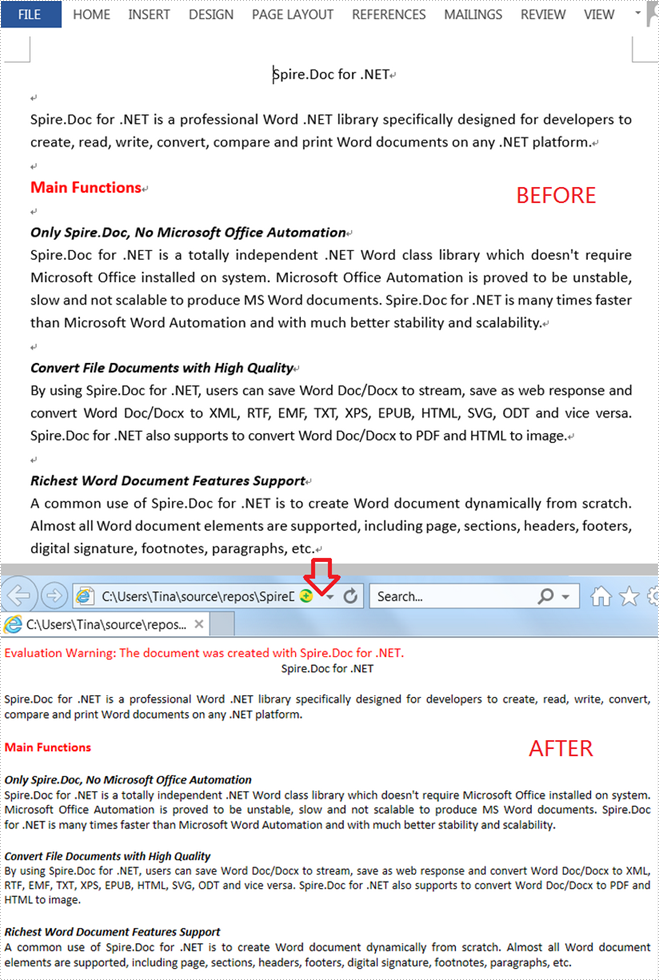
When you'd like to put a Word document on the web, it's recommended that you should convert the document to HTML in order to make it accessible via a web page. This article will demonstrate how to convert Word to HTML programmatically in C# and VB.NET using Spire.Doc for .NET.
Install Spire.Doc for .NET
To begin with, you need to add the DLL files included in the Spire.Doc for .NET package as references in your .NET project. The DLL files can be either downloaded from this link or installed via NuGet.
PM> Install-Package Spire.Doc
Convert Word to HTML
The following steps show you how to convert Word to HTML using Spire.Doc for .NET.
- Create a Document instance.
- Load a Word sample document using Document.LoadFromFile() method.
- Save the document as an HTML file using Document.SaveToFile() method.
- C#
- VB.NET
using Spire.Doc;

namespace WordToHTML
{
    class Program
    {
        static void Main(string[] args)
        {
            //Create a Document instance
            Document mydoc = new Document();

            //Load a Word document
            mydoc.LoadFromFile("sample.docx");

            //Save to HTML
            mydoc.SaveToFile("WordToHTML.html", FileFormat.Html);
        }
    }
}
Apply for a Temporary License
If you'd like to remove the evaluation message from the generated documents, or to get rid of the function limitations, please request a 30-day trial license for yourself.
Text files are simple and versatile, but they don't support formatting options and advanced features like headers, footers, page numbers, and styles, and cannot include multimedia content like images or tables. Additionally, spell-checking and grammar-checking features are also not available in plain text editors.
If you need to add formatting, multimedia content, or advanced features to a text document, you'll need to convert it to a more advanced format like Word. Similarly, if you need to simplify the formatting of a Word document, reduce its file size, or work with its content using basic tools, you might need to convert it to a plain text format. In this article, we will explain how to convert text files to Word format and convert Word files to text format in C# and VB.NET using Spire.Doc for .NET library.
- Convert a Text File to Word Format in C# and VB.NET
- Convert a Word File to Text Format in C# and VB.NET
Install Spire.Doc for .NET
To begin with, you need to add the DLL files included in the Spire.Doc for .NET package as references in your .NET project. The DLL files can be either downloaded from this link or installed via NuGet.
PM> Install-Package Spire.Doc
Convert a Text File to Word Format in C# and VB.NET
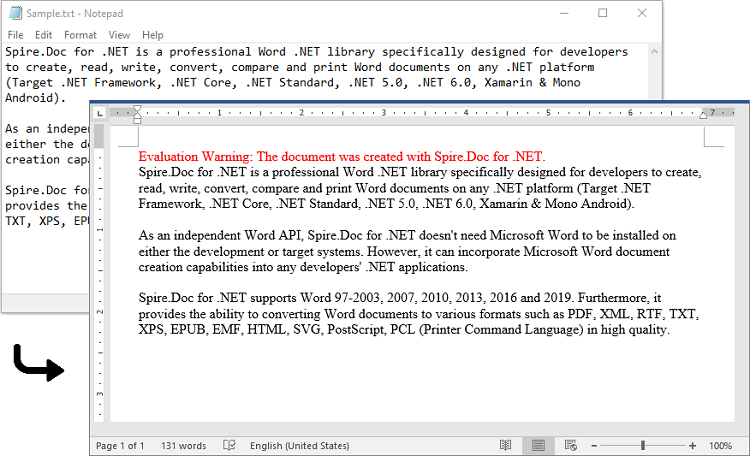
Spire.Doc for .NET offers the Document.LoadText(string fileName) method which enables you to load a text file. After the text file is loaded, you can easily save it in Word format by using the Document.SaveToFile(string fileName, FileFormat fileFormat) method. The detailed steps are as follows:
- Initialize an instance of the Document class.
- Load a text file using the Document.LoadText(string fileName) method.
- Save the text file in Word format using the Document.SaveToFile(string fileName, FileFormat fileFormat) method.
- C#
- VB.NET
using Spire.Doc;

namespace ConvertTextToWord
{
    internal class Program
    {
        static void Main(string[] args)
        {
            //Initialize an instance of the Document class
            Document doc = new Document();
            //Load a text file
            doc.LoadText("Sample.txt");

            //Save the text file in Word format
            doc.SaveToFile("TextToWord.docx", FileFormat.Docx2016);
            doc.Close();
        }
    }
}
Convert a Word File to Text Format in C# and VB.NET
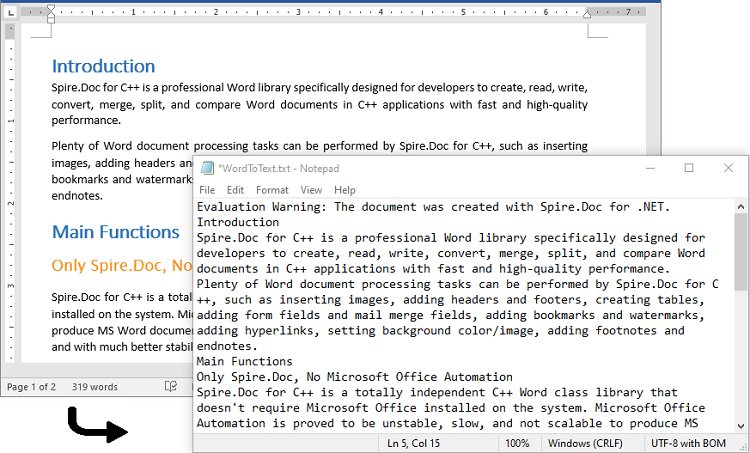
To convert a Word file to text format, you just need to load the Word file using the Document.LoadFromFile(string fileName) method, and then call the Document.SaveToFile(string fileName, FileFormat fileFormat) method to save it in text format. The detailed steps are as follows:
- Initialize an instance of the Document class.
- Load a Word file using the Document.LoadFromFile(string fileName) method.
- Save the Word file in text format using the Document.SaveToFile(string fileName, FileFormat fileFormat) method.
- C#
- VB.NET
using Spire.Doc;

namespace ConvertWordToText
{
    internal class Program
    {
        static void Main(string[] args)
        {
            //Initialize an instance of the Document class
            Document doc = new Document();
            //Load a Word file
            doc.LoadFromFile(@"Sample.docx");

            //Save the Word file in text format
            doc.SaveToFile("WordToText.txt", FileFormat.Txt);
            doc.Close();
        }
    }
}
Apply for a Temporary License
If you'd like to remove the evaluation message from the generated documents, or to get rid of the function limitations, please request a 30-day trial license for yourself.
The sample demonstrates how to work with MailMerge in Silverlight via Spire.Doc.