
Java (485)
Images are visual representations of information. Adding images to our documents can help us express our thoughts in a simple and beautiful way. In this article, we will introduce how to insert images into Excel in Java using Spire.XLS for Java library.
Install Spire.XLS for Java
First of all, you're required to add the Spire.Xls.jar file as a dependency in your Java program. The JAR file can be downloaded from this link. If you use Maven, you can easily import the JAR file in your application by adding the following code to your project's pom.xml file.
<repositories>
    <repository>
        <id>com.e-iceblue</id>
        <name>e-iceblue</name>
        <url>https://repo.e-iceblue.com/nexus/content/groups/public/</url>
    </repository>
</repositories>
<dependencies>
    <dependency>
        <groupId>e-iceblue</groupId>
        <artifactId>spire.xls</artifactId>
        <version>16.8.4</version>
    </dependency>
</dependencies>
Insert Image from Disk into Excel in Java
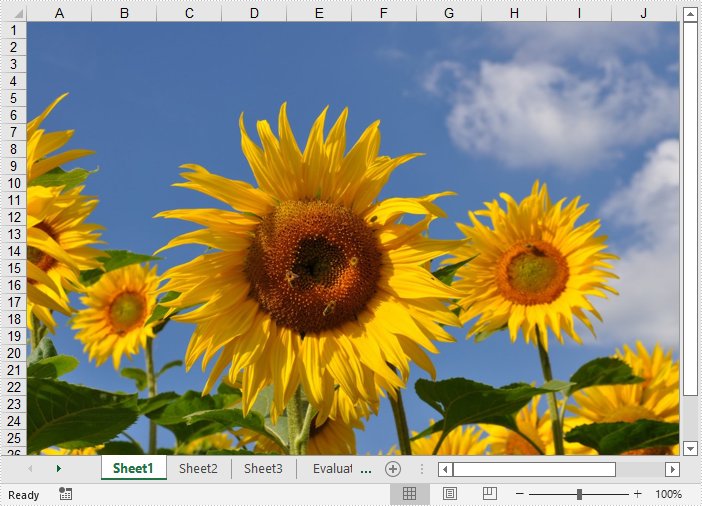
The following are the steps to insert an image from disk into Excel:
- Initialize a Workbook instance
- Get the desired worksheet using Workbook.getWorksheets().get(sheetIndex) method.
- Insert an image into the worksheet using Worksheet.getPictures().add() method.
- Save the result file using Workbook.saveToFile() method.
- Java
import com.spire.xls.ExcelVersion;
import com.spire.xls.Workbook;
import com.spire.xls.Worksheet;

public class InsertImageFromDisk {
    public static void main(String[] args){
        //Initialize a Workbook instance
        Workbook workbook = new Workbook();
        //Get the first sheet
        Worksheet sheet = workbook.getWorksheets().get(0);

        //Insert an image into the worksheet
        sheet.getPictures().add(1, 1,"E:\\work\\sample.jpg");

        //Save the result file
        workbook.saveToFile("InsertImageFromDisk.xlsx", ExcelVersion.Version2016);
    }
}
Insert Web Image from a URL into Excel in Java
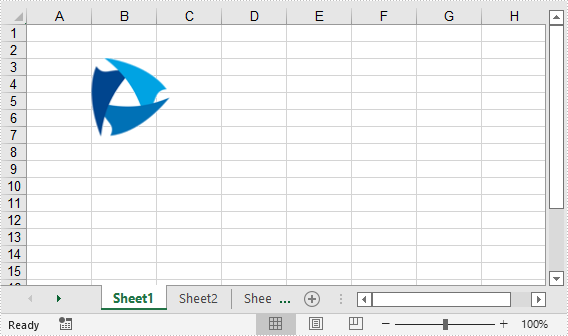
The following are the steps to insert a web image from a URL into an Excel worksheet:
- Initialize a Workbook instance.
- Get the desired worksheet using Workbook.getWorksheets().get(sheetIndex) method.
- Initialize a URL instance to get the image from the specified URL. Within the constructor of URL class, pass the image’s URL as a parameter.
- Read the image into a BufferedImage object using ImageIO.read() method.
- Insert the image into the worksheet using Worksheet.getPictures().add() method.
- Save the result file using Workbook.saveToFile() method.
- Java
import com.spire.xls.ExcelVersion;
import com.spire.xls.Workbook;
import com.spire.xls.Worksheet;

import javax.imageio.ImageIO;
import java.awt.image.BufferedImage;
import java.io.IOException;
import java.net.URL;

public class InsertWebImage {
    public static void main(String[] args) throws IOException {
        //Initialize a Workbook instance
        Workbook workbook = new Workbook();

        //Get the first worksheet
        Worksheet sheet = workbook.getWorksheets().get(0);

        //Initialize a URL instance to get the image from the specified URL
        URL url = new URL("https://www.e-iceblue.com/downloads/demo/Logo.png");
        //Read the image into a BufferedImage object
        BufferedImage bufferedImage = ImageIO.read(url);

        //Insert the image into the worksheet
        sheet.getPictures().add(3, 2, bufferedImage );

        //Save the result file
        workbook.saveToFile("InsertWebImage.xlsx", ExcelVersion.Version2016);
    }
}
Apply for a Temporary License
If you'd like to remove the evaluation message from the generated documents, or to get rid of the function limitations, please request a 30-day trial license for yourself.
In Microsoft Excel, you can lock specific cells so that other users cannot make changes to the data or formulas within them. In this article, we will introduce how to lock cells in Excel programmatically in Java using Spire.XLS for Java library.
Install Spire.XLS for Java
First of all, you're required to add the Spire.Xls.jar file as a dependency in your Java program. The JAR file can be downloaded from this link. If you use Maven, you can easily import the JAR file in your application by adding the following code to your project's pom.xml file.
<repositories>
    <repository>
        <id>com.e-iceblue</id>
        <name>e-iceblue</name>
        <url>https://repo.e-iceblue.com/nexus/content/groups/public/</url>
    </repository>
</repositories>
<dependencies>
    <dependency>
        <groupId>e-iceblue</groupId>
        <artifactId>spire.xls</artifactId>
        <version>16.8.4</version>
    </dependency>
</dependencies>
Lock Specific Cells in Excel in Java
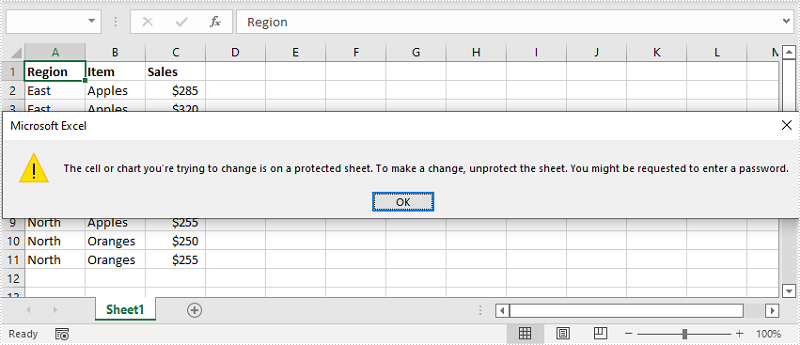
Normally, the locked option is enabled for all cells in a worksheet. Therefore, before locking a cell or range of cells, all cells must be unlocked. Keep in mind that locking cells doesn’t take effect until the worksheet is protected.
The following are the steps to lock specific cells in Excel:
- Create an instance of Workbook class.
- Load the Excel file using Workbook.loadFromFile() method.
- Get the desired worksheet using Workbook.getWorksheets().get(sheetIndex) method.
- Access the used range in the worksheet and then unlock all the cells in the range using XlsRange.getStyle().setLocked() method.
- Access specific cells and then lock them using XlsRange.getStyle().setLocked() method.
- Protect the worksheet using XlsWorksheetBase.protect() method.
- Save the result file using Workbook.saveToFile() method.
- Java
import com.spire.xls.*;

import java.util.EnumSet;

public class LockCells {
    public static void main(String []args){
        //Create a Workbook instance
        Workbook workbook = new Workbook();
        //Load an Excel file
        workbook.loadFromFile("Input.xlsx");

        //Get the first worksheet
        Worksheet sheet = workbook.getWorksheets().get(0);

        //Unlock all cells in the used range of the worksheet
        CellRange usedRange = sheet.getRange();
        usedRange.getStyle().setLocked(false);

        //Lock specific cells
        CellRange cells = sheet.getRange().get("A1:C3");
        cells.getStyle().setLocked(true);

        //Protect the worksheet with password
        sheet.protect("123456", EnumSet.of(SheetProtectionType.All));

        //Save the result file
        workbook.saveToFile("LockCells.xlsx", ExcelVersion.Version2016);
    }
}
Apply for a Temporary License
If you'd like to remove the evaluation message from the generated documents, or to get rid of the function limitations, please request a 30-day trial license for yourself.
An Extensible Markup Language (XML) file is a plain text file that uses custom tags to describe the structure and other features of a document. In some cases, you may need to convert XML to PDF because the latter one is easier for others to access. This article will show you how to programmatically convert XML to PDF using Spire.Doc for Java.
Install Spire.Doc for Java
First of all, you're required to add the Spire.Doc.jar file as a dependency in your Java program. The JAR file can be downloaded from this link. If you use Maven, you can easily import the JAR file in your application by adding the following code to your project's pom.xml file.
<repositories>
    <repository>
        <id>com.e-iceblue</id>
        <name>e-iceblue</name>
        <url>https://repo.e-iceblue.com/nexus/content/groups/public/</url>
    </repository>
</repositories>
<dependencies>
    <dependency>
        <groupId>e-iceblue</groupId>
        <artifactId>spire.doc</artifactId>
        <version>14.8.4</version>
    </dependency>
</dependencies>
Convert XML to PDF
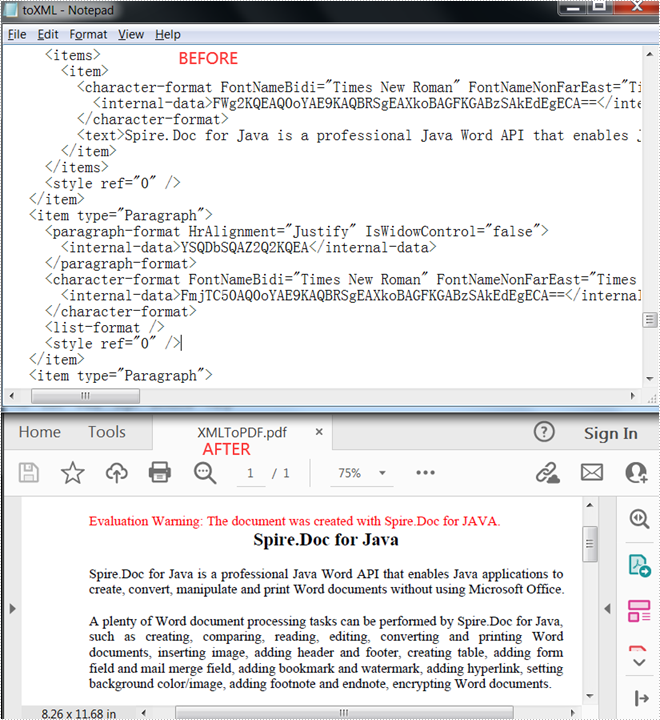
Spire.Doc for Java supports converting XML to PDF using the Document.saveToFile() method. The following are detailed steps.
- Create a Document instance.
- Load an XML sample document using Document.loadFromFile() method.
- Save the document as a PDF file using Document.saveToFile() method.
- Java
import com.spire.doc.Document;
import com.spire.doc.FileFormat;

public class XMLToPDF {
    public static void main(String[] args) {
        //Create a Document instance
        Document document = new Document();
        //Load a XML sample document
        document.loadFromFile("toXML.xml");
        //Save  the document to PDF
        document.saveToFile("output/XMLToPDF.pdf", FileFormat.PDF );
    }
}
Apply for a Temporary License
If you'd like to remove the evaluation message from the generated documents, or to get rid of the function limitations, please request a 30-day trial license for yourself.
