Python (368)
Spire.PDF for Python is a professional PDF development component that enables developers to create, read, edit, convert, and save PDF files in Python programs without depending on any external applications or libraries. This Python PDF class library provides developers with various functions to create PDF files from scratch or process existing PDF documents completely through Python programs.
Spire.PDF for Python supports various PDF processing features including security settings, extracting text/image from PDF, merging/splitting PDF, adding page numbers to PDF, drawing text/image/shape/barcode to PDF, creating/filling in form fields, adding and deleting PDF layers, cropping pages, copying pages, overlaying PDF, creating actions in PDF, inserting text/image watermarks to PDF, adding/deleting/extracting annotations, adding/updating/deleting PDF bookmarks, adding tables to PDF, compressing PDF documents etc.


Spire.Doc for Python is a professional Word Python API specifically designed for developers to create, read, write, convert and compare Word documents with fast and high-quality performance.
As an independent Word Python API, Spire.Doc for Python doesn't need Microsoft Word to be installed on neither the development nor target systems. However, it can incorporate Microsoft Word document creation capabilities into any developers' Python applications.
Spire.XLS for Python is a professional Excel development component that can be used to create, read, write and convert Excel files on any Python platform. Spire.XLS for Python offers object model Excel API for speeding up Excel programming in Python platform - create new Excel documents from template, edit existing Excel documents and convert Excel files.
Spire.XLS for Python enjoys good reputation in both enterprise and individual customers. These customer types include Banks, Data processing houses, Educational institutions, Government organizations, Insurance firms, Legal institutions, Postal/cargo services and etc.
Spire.XLS for Python is a Python library for reading, creating, editing and converting Excel (.xls & .xlsx) files in any Python application. This article shows you how to install Spire.XLS for Python on Windows.
Step 1
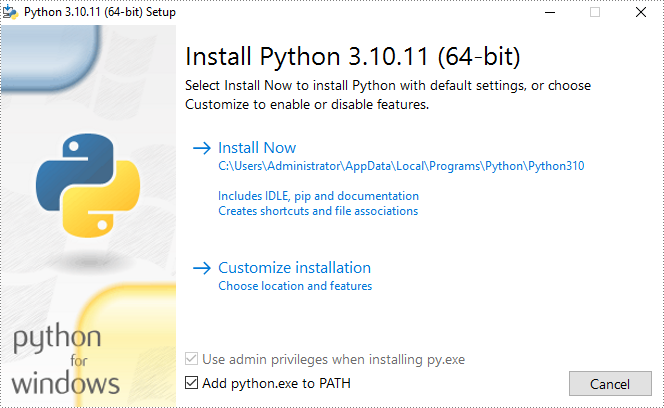
Download the latest version of Python and install it on your computer. If you have already installed it, skip to step 2.
Step 2
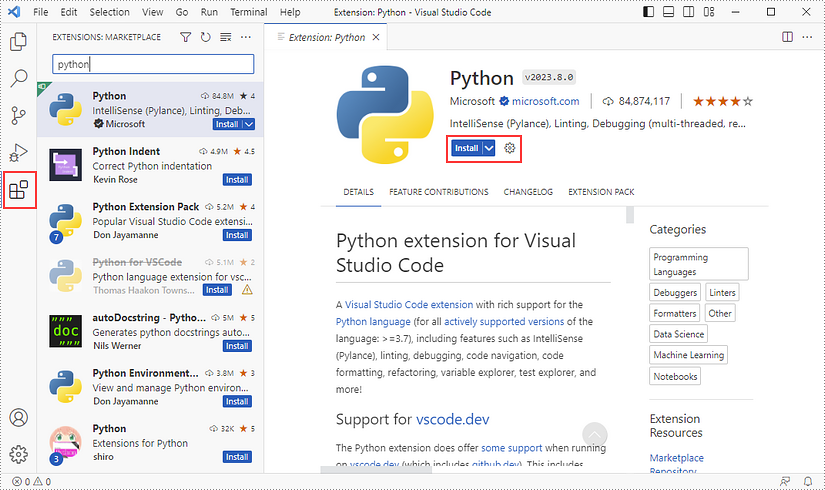
Click 'Extensions' in VS Code, search for 'Python' and then install it.
Step 3
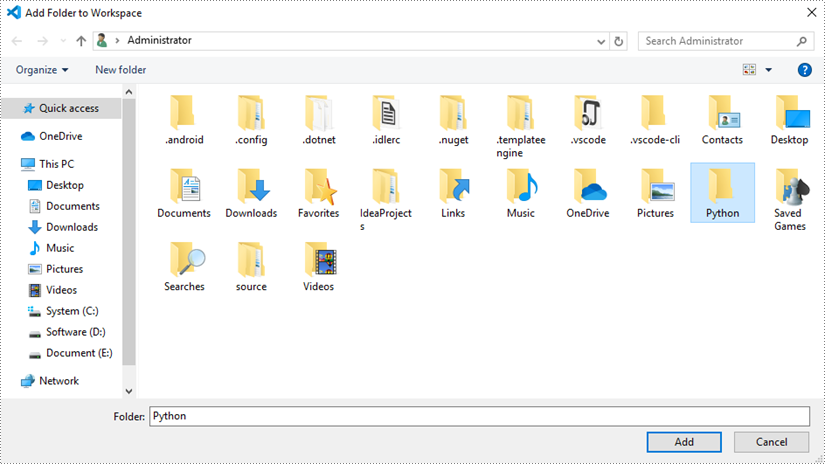
Click 'Explorer' - 'NO FOLRDER OPENED' - 'Open Folder'.
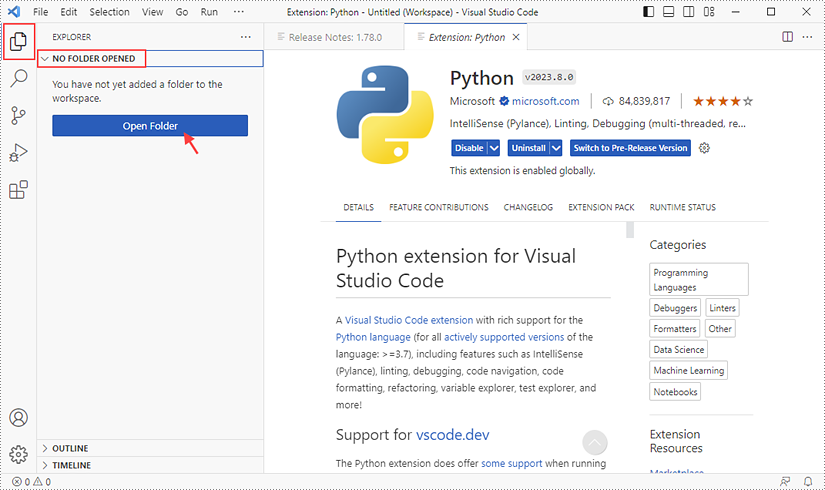
Choose an existing folder as the workspace, or you can create a new folder and then select it.
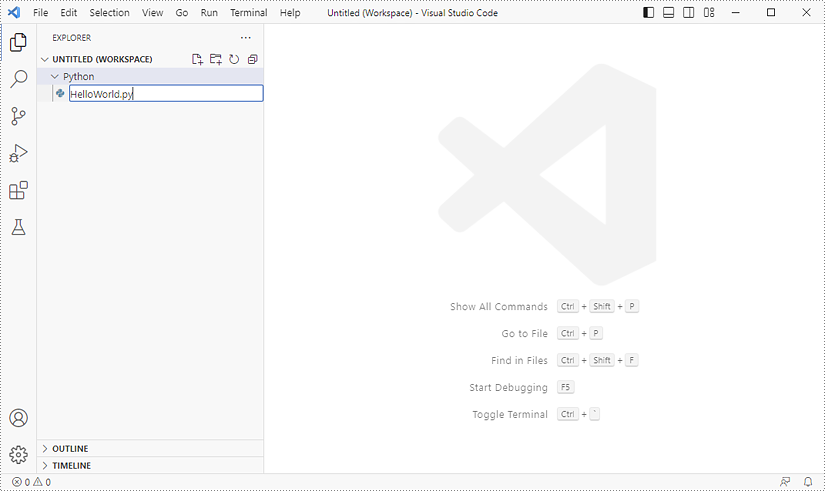
Add a .py file to the folder you've just added (Python folder in this case), and name it whatever you like.
Step 4
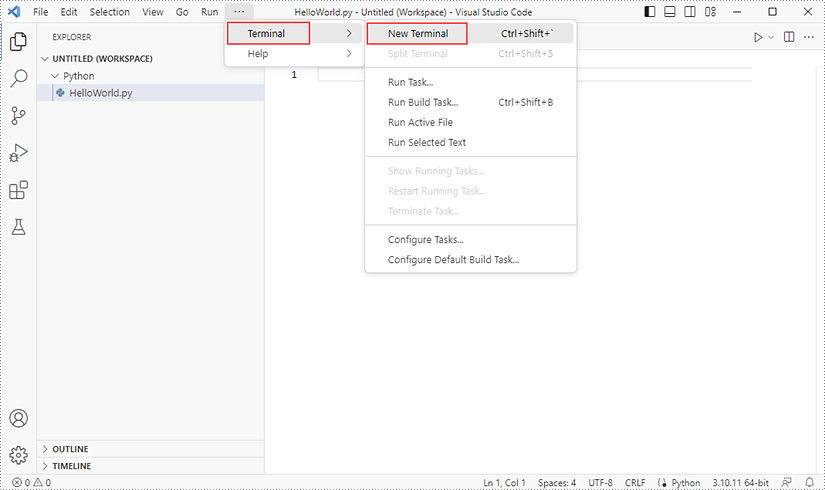
Click 'Terminal' and then 'New Terminal'.
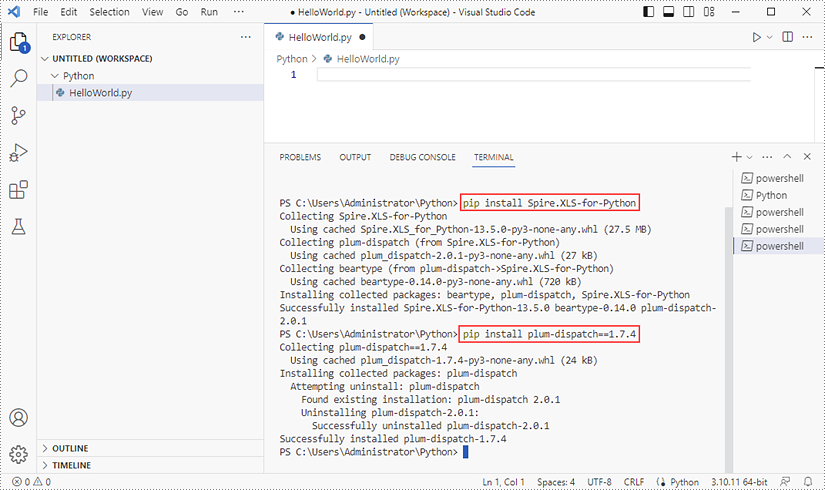
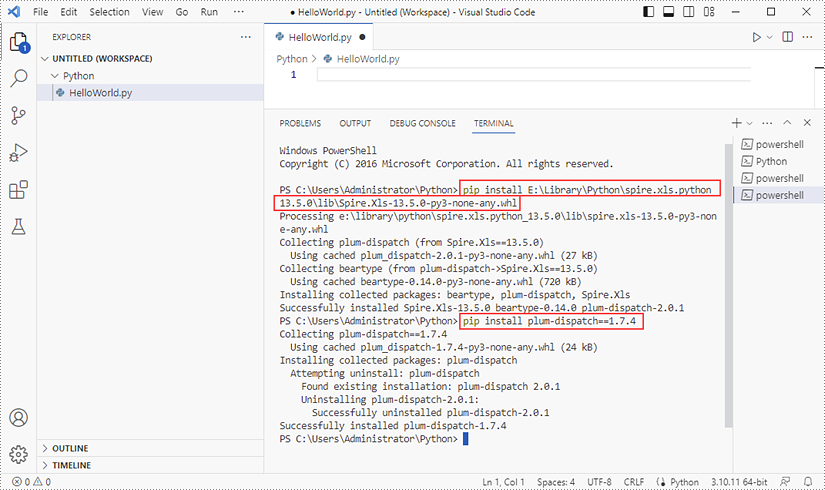
Input the following command to install Spire.XLS for Python and plum-dispatch v1.7.4.
pip install Spire.XLS
Alternatively, you can download Spire.XLS for Python from our website, and unzip it to get the .whl file from the 'lib' folder.
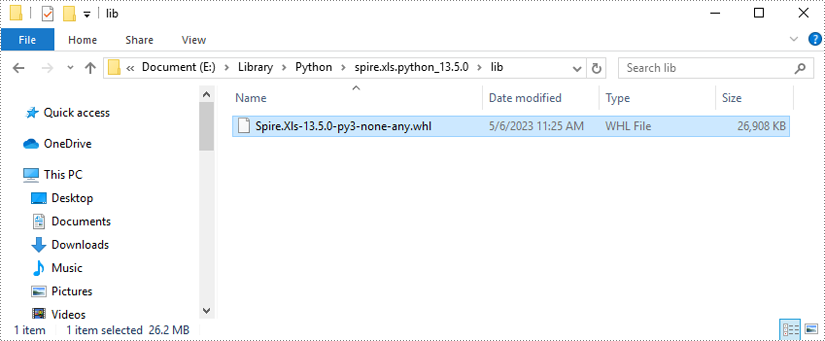
Then, install Spire.XLS for Python and plum-dispatch v1.7.4 by running the following commands.
pip install E:\Library\Python\spire.xls.python_13.5.0\lib\Spire.Xls-13.5.0-py3-none-any.whl
Step 5
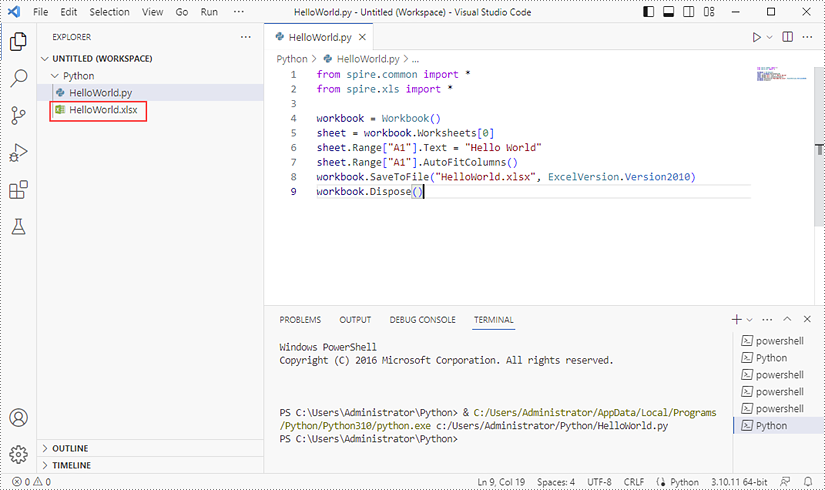
Add the following code snippet to the 'HelloWorld.py' file.
- Python
from spire.xls.common import *
from spire.xls import *

workbook = Workbook()
sheet = workbook.Worksheets[0]
sheet.Range["A1"].Text = "Hello World"
sheet.Range["A1"].AutoFitColumns()
workbook.SaveToFile("HelloWorld.xlsx", ExcelVersion.Version2010)
workbook.Dispose()
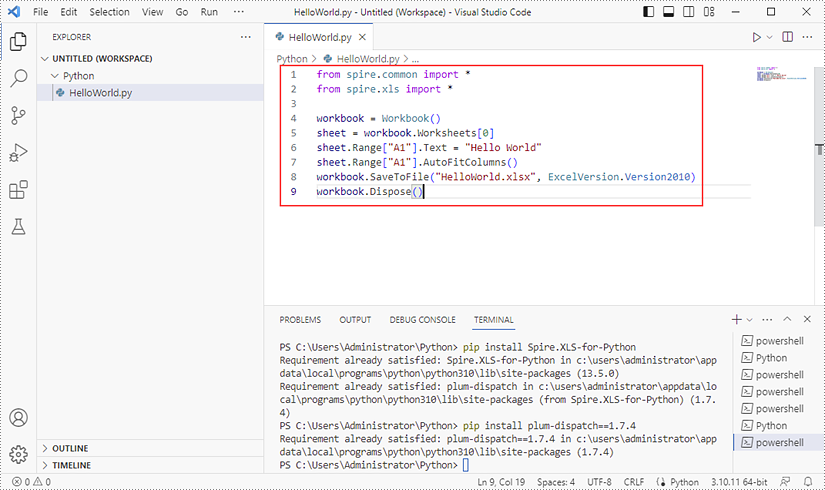
Once you run the Python file, you'll see the result Excel document in the 'EXPORER' panel.